★첫 바이브 코딩 — 한 줄이면 됩니다
바이브(원하는 장면을 말로) + 코딩(결과물의 형태) — 이 두 조각이면 앱이 나옵니다.
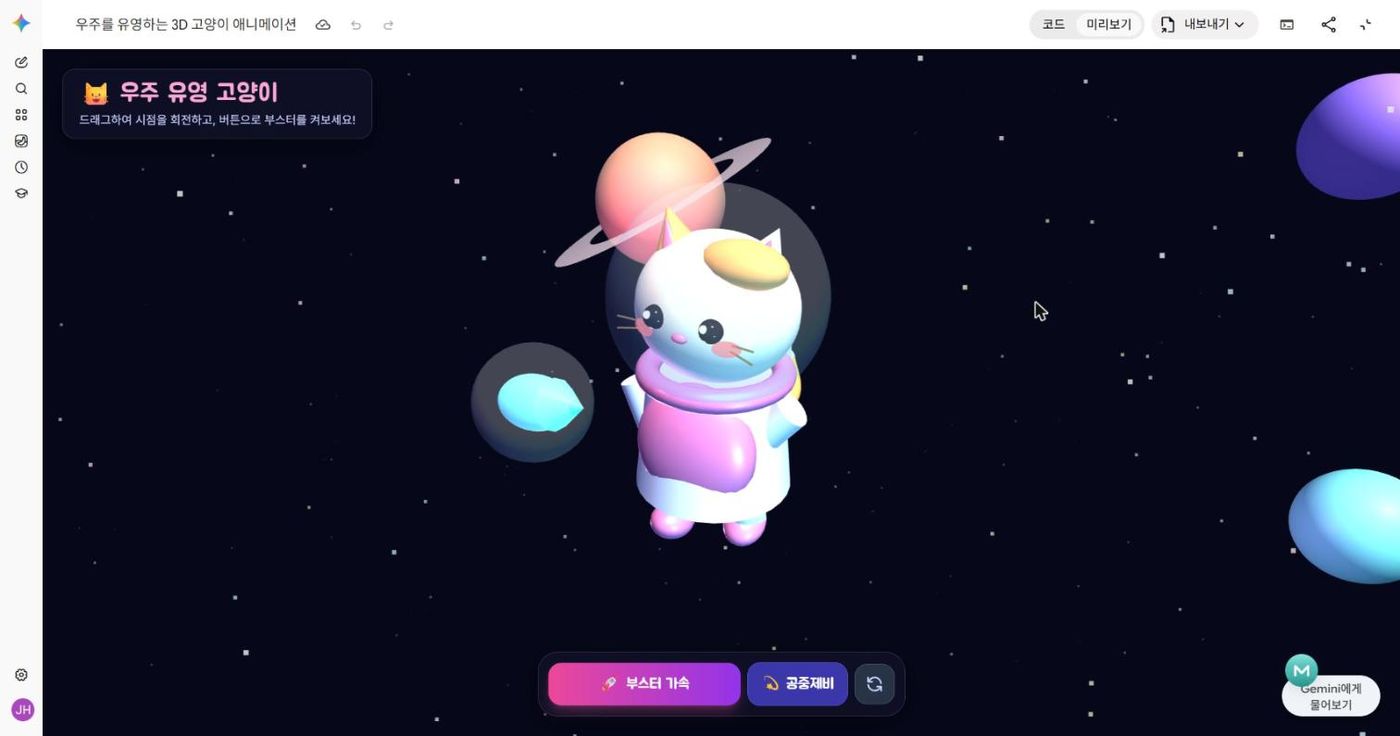
귀여운 3D 고양이 캐릭터가 우주를 유영하는 애니메이션을 html 코드로 만들어줘.
교사를 위한 바이브 코딩 — 내 교실의 문제를, 내가 말로 설계해 직접 해결하는 도구를 만듭니다.
영상 → AI 발전 그래프 → 주니어와 시니어. 딱 세 장면으로 오늘의 이유를 찾습니다.
대화하는 AI가 아니라 내 컴퓨터를 직접 움직이는 AI가 나왔습니다. 짧은 클립 세 개로 시작합니다.
출처: SBS 비디오머그 〈오그랲〉 "사람 몰래 행동하는 AI 오픈클로, 어디까지 가능할까?" — 버튼으로 해당 구간만 재생됩니다.
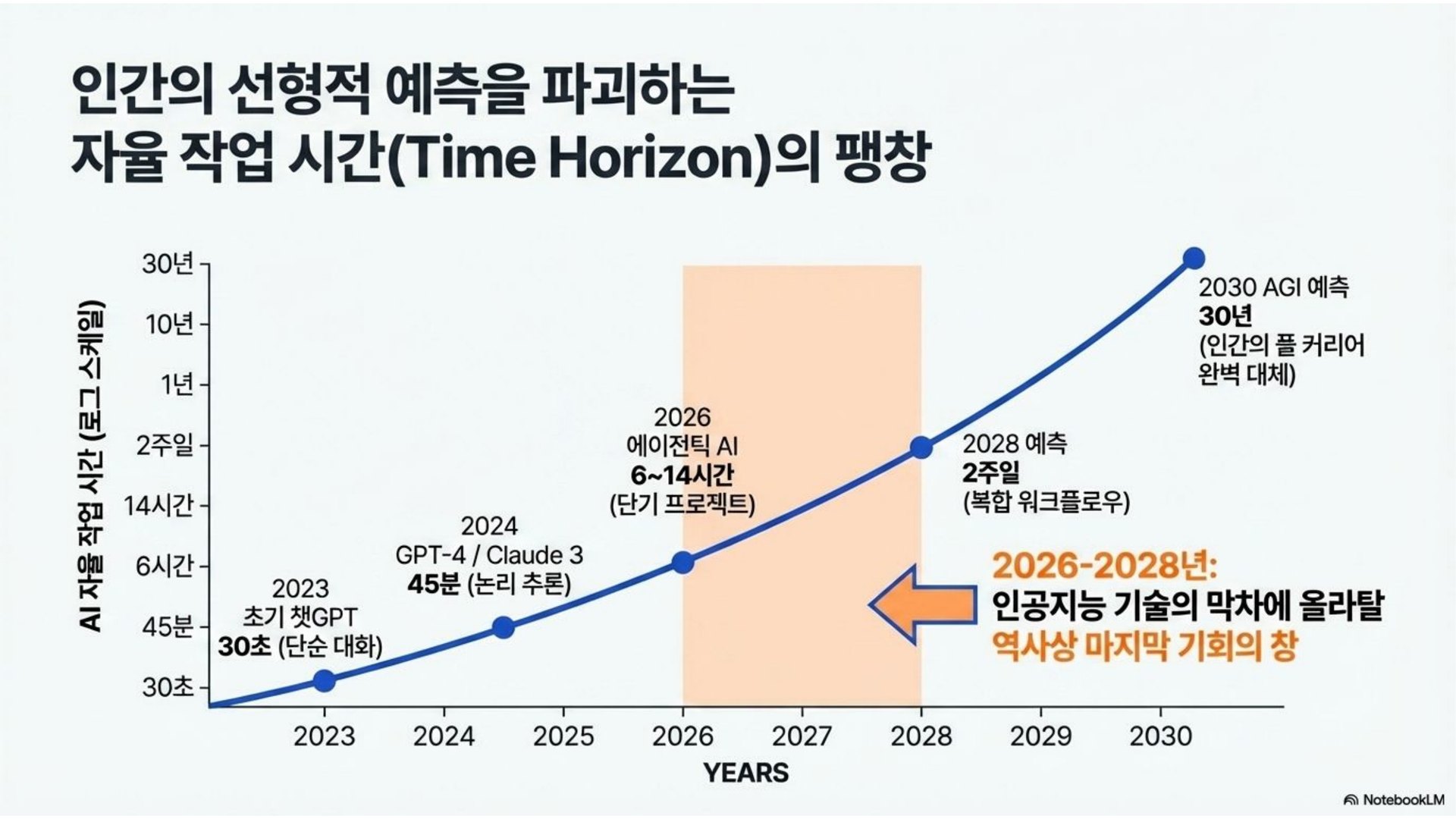
사람이 하면 얼마나 걸리는 일을 AI가 혼자 끝내는지 잰 그래프입니다. 2023년엔 30초짜리 단순 대화, 2024년엔 45분짜리 논리 추론 — 지금은 반나절짜리 프로젝트를 혼자 끝냅니다.
 ⤢ 크게
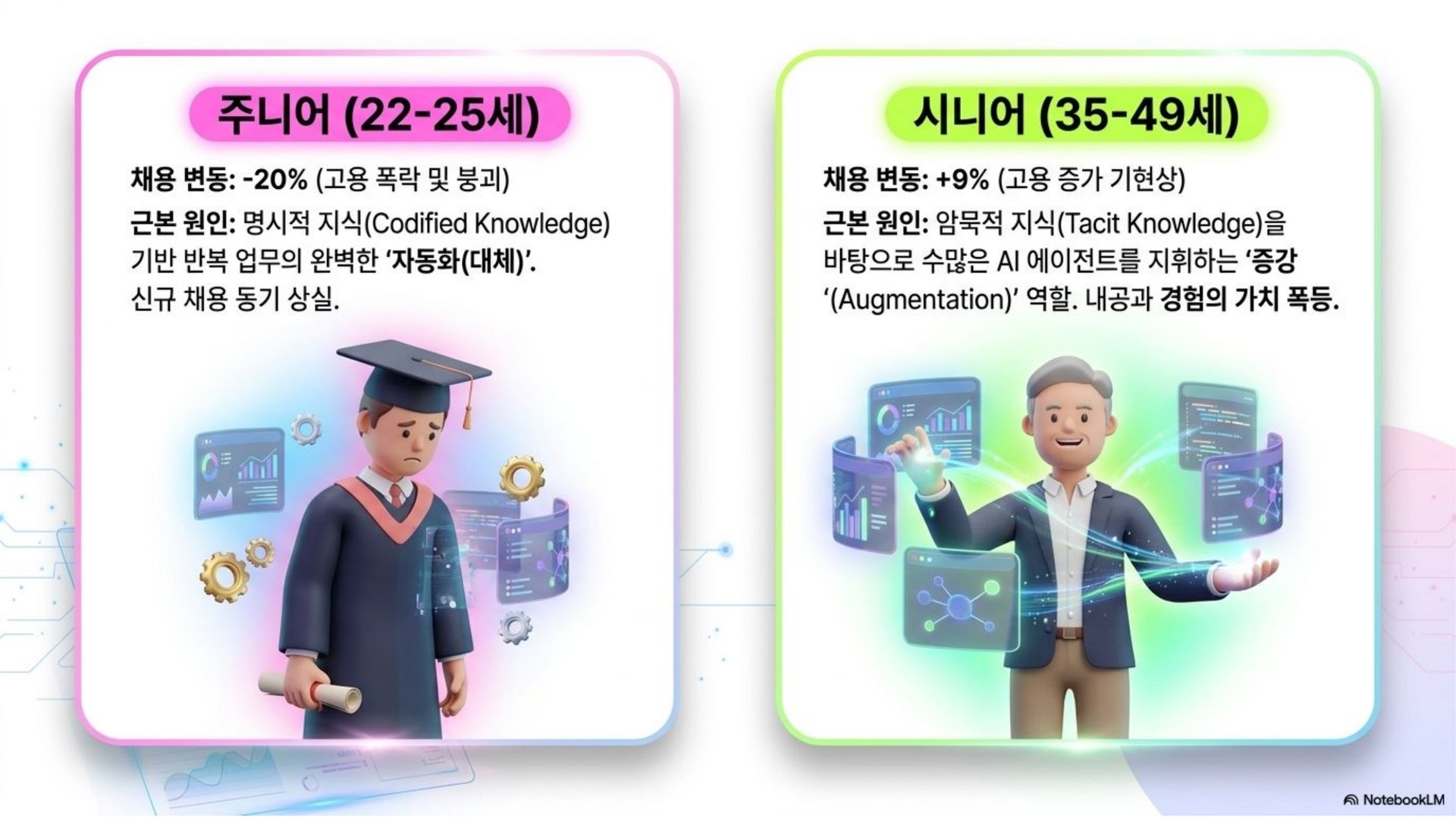
외워서 반복하는 일은 AI가 대체하고, 경험으로 AI 에이전트를 부리는 사람은 더 강해집니다. 교실 경험이 쌓인 선생님이 바로 지휘자입니다.
 ⤢ 크게
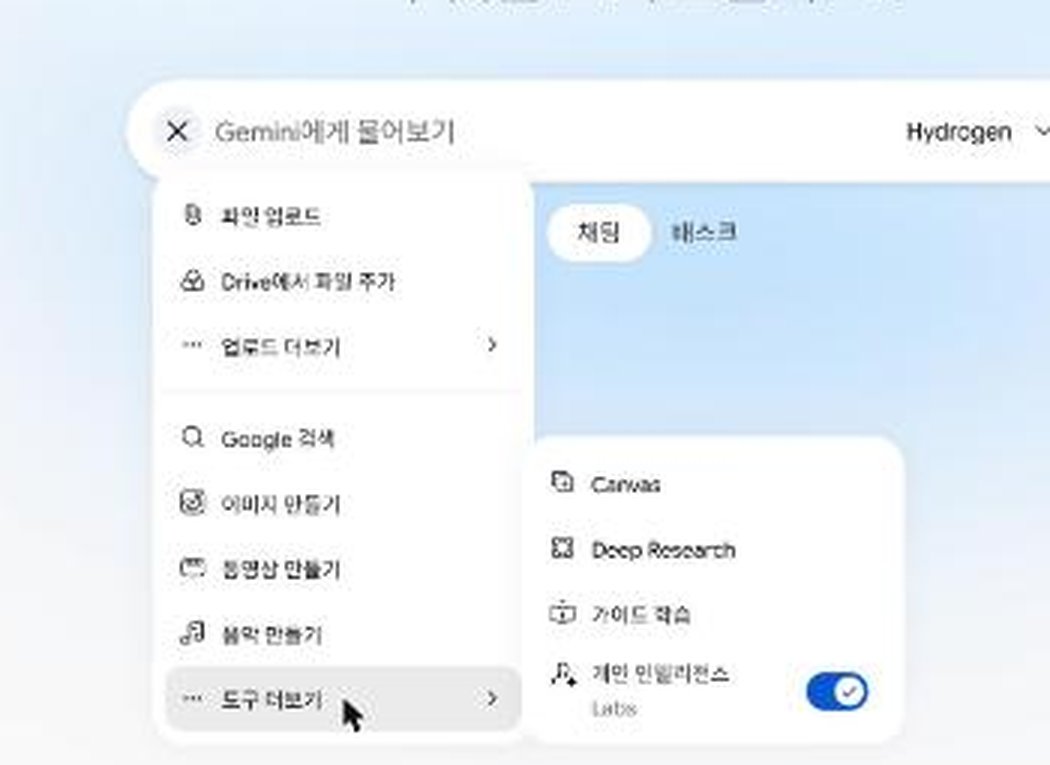
Gemini에 한 줄을 넣으면 앱이 나옵니다. 그리고 고쳐 말하면, 앱이 학생과 함께 움직이기 시작합니다.
코드를 글로 받는 대신, 결과 화면을 바로 보여 주는 작업대
 ⤢ 크게
보라색은 "무엇을"(바이브), 초록색은 "무엇으로"(코딩)
바이브(원하는 장면을 말로) + 코딩(결과물의 형태) — 이 두 조각이면 앱이 나옵니다.
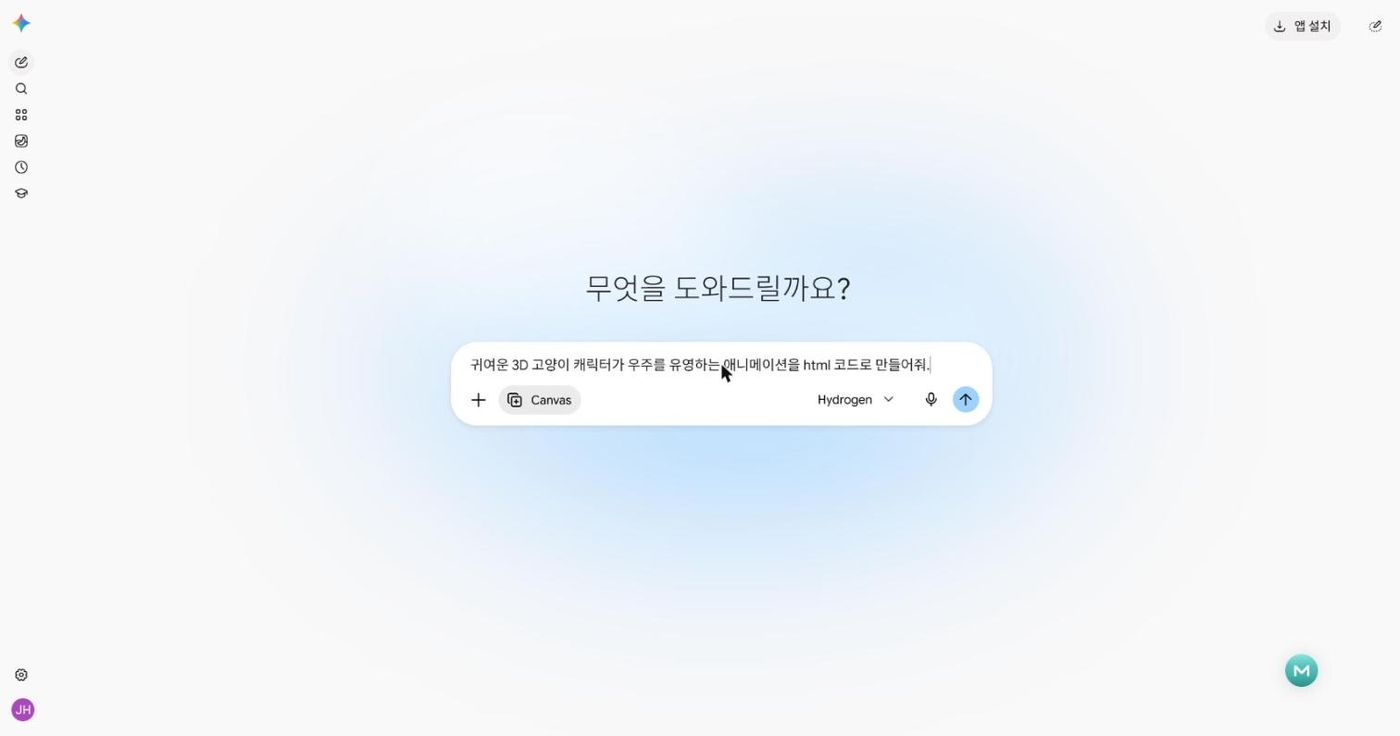
귀여운 3D 고양이 캐릭터가 우주를 유영하는 애니메이션을 html 코드로 만들어줘.
함께 해 보기 — 모두 같은 문장을 넣어도 고양이는 다 다르게 나옵니다. 옆 사람 것과 비교해 보세요.
 ⤢ 크게
 ⤢ 크게
모든 코딩은 한 번에 끝나지 않습니다
처음 결과는 "보는" 애니메이션입니다. 이제 "만지는" 앱으로 바꿉니다 — 지금 상황 + 바꿀 것 + 지킬 조건, 세 덩어리로 이어서 말하면 됩니다.
"지금 상황"과 "지킬 조건"을 알려 줘야 잘 되던 것을 깨뜨리지 않습니다.
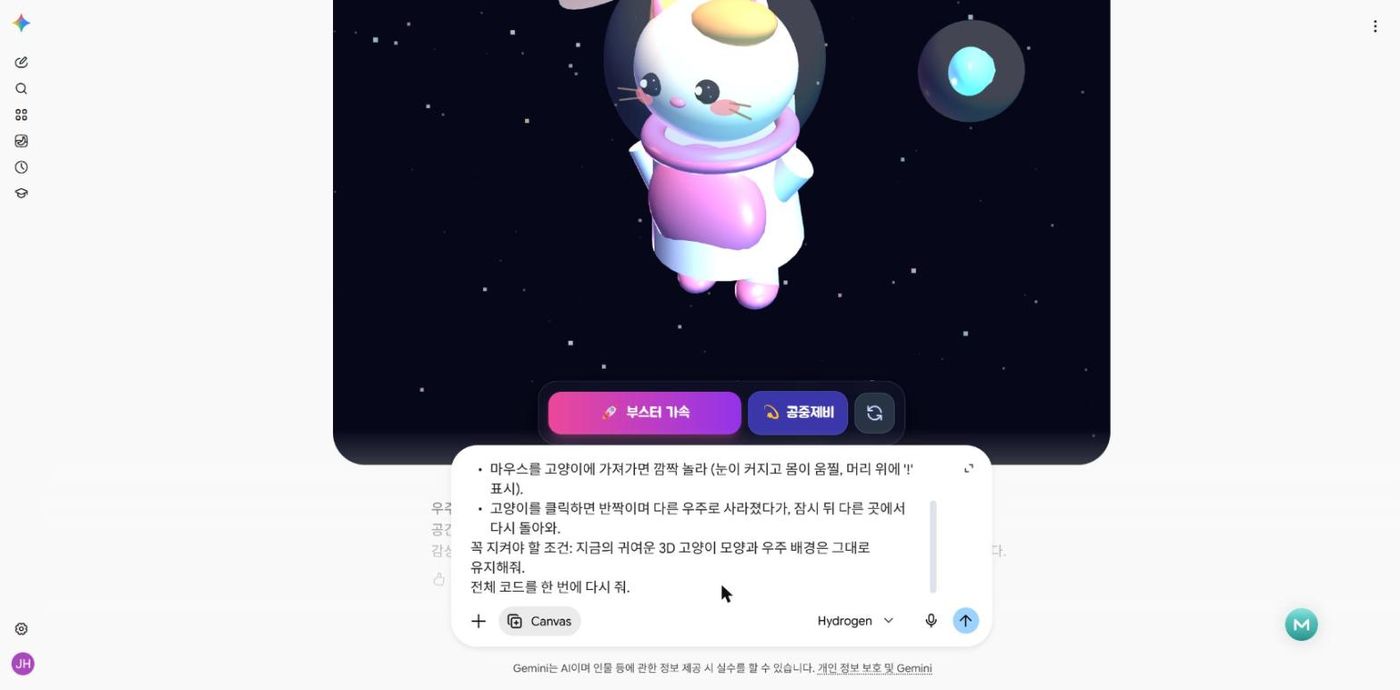
잘 돼! 그런데 지금은 고양이 한 마리가 혼자 떠다니기만 해.
이 애니메이션을 내가 직접 만질 수 있게 바꾸고 싶어.
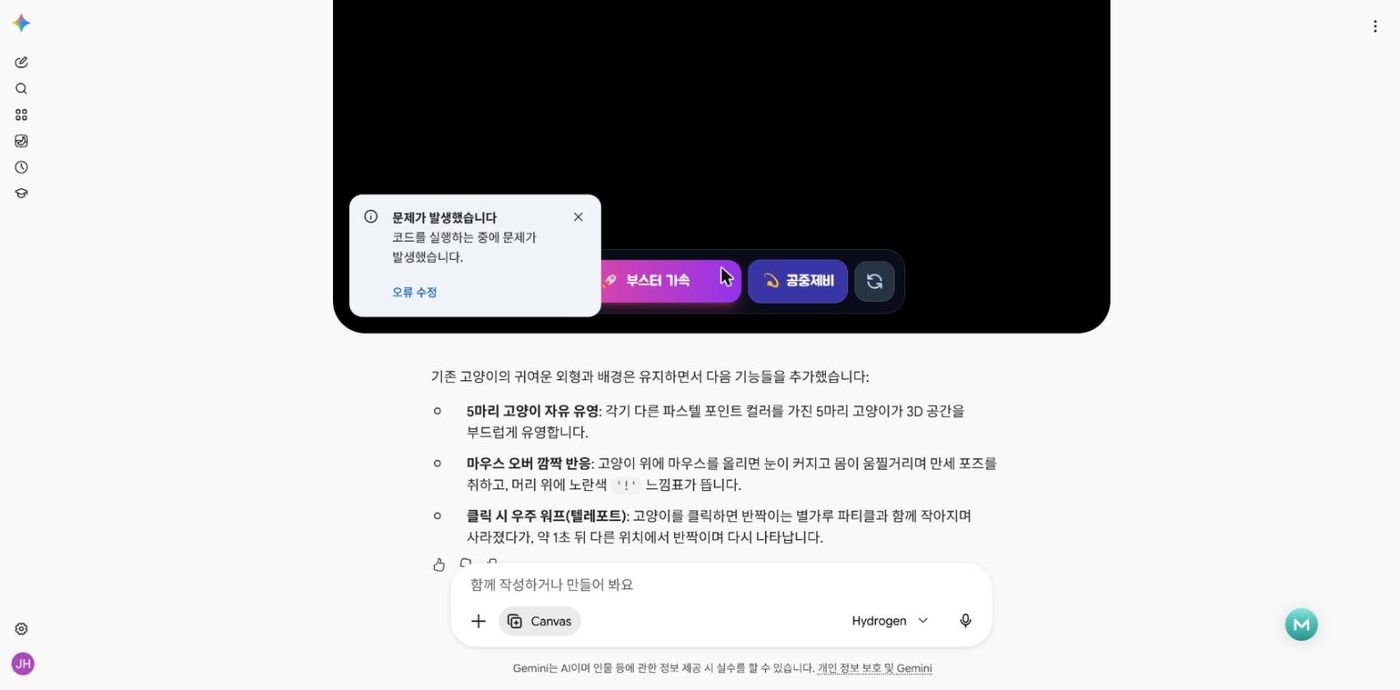
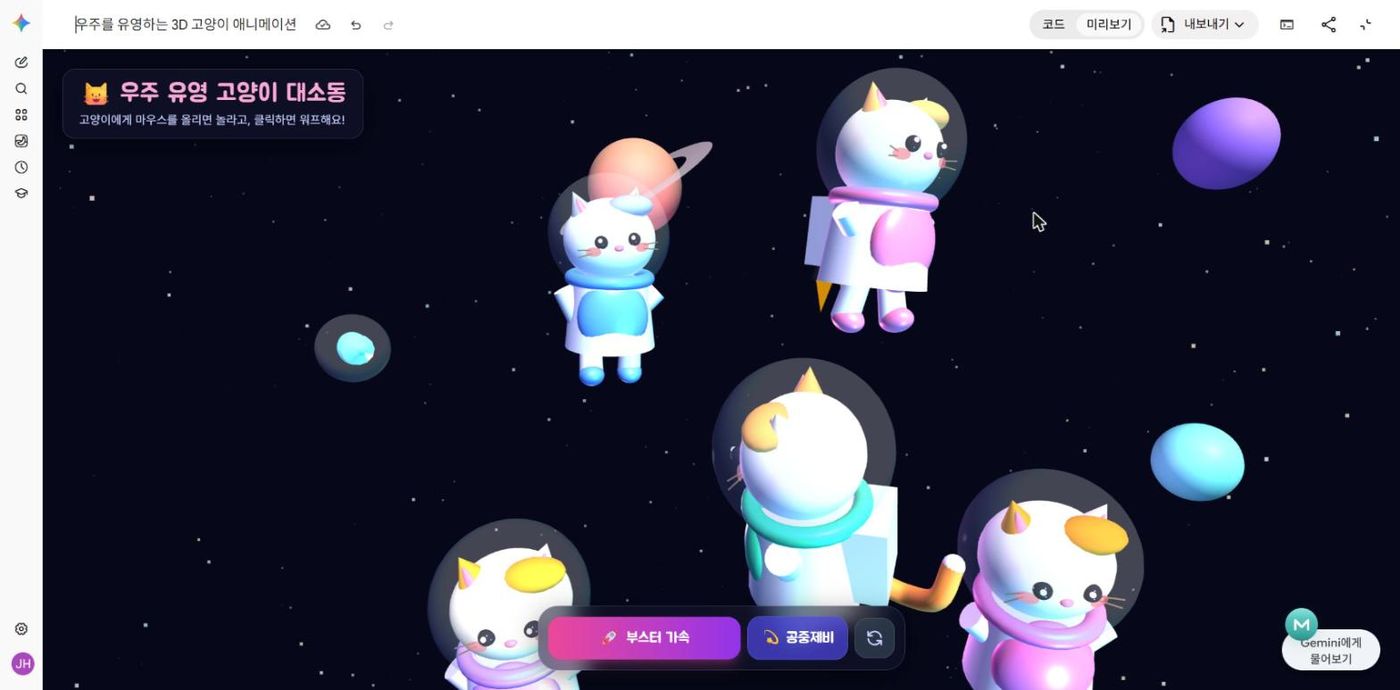
- 귀여운 고양이 5마리가 3D 우주 공간을 이리저리 자유롭게 유영해.
- 마우스를 고양이에 가져가면 깜짝 놀라 (눈이 커지고 몸이 움찔, 머리 위에 '!' 표시).
- 고양이를 클릭하면 반짝이며 다른 우주로 사라졌다가, 잠시 뒤 다른 곳에서 다시 돌아와.
꼭 지켜야 할 조건: 지금의 귀여운 3D 고양이 모양과 우주 배경은 그대로 유지해줘.
전체 코드를 한 번에 다시 줘.
 ⤢ 크게
 ⤢ 크게
 ⤢ 크게
cat5.html Gemini Canvas → 내보내기 → 코드 다운로드 → 이 사이트에 그대로 올린 파일입니다.
보는 화면에서 만지는 화면으로
신기한 앱을 내 교실의 문제에 연결하는 시간. 아이디어를 남기고, 두 가지를 실제로 만들어 봅니다.
아무리 신기한 앱이라도 내가 써먹지 못하면 소용없습니다
5마리 고양이 · 마우스를 대면 놀람 · 클릭하면 사라졌다 돌아옴 — 이 재료로 무엇을 할 수 있을까요? 떠오르는 대로 한 줄씩 남겨 보세요.
이 브라우저에만 저장되는 메모입니다. 함께 나누려면 👥 수업 참여의 공지나 패들렛을 쓰세요.
같은 대화창에 T6 로 이어서
이름은 가명 예시입니다. 실제 학생 이름은 학교 개인정보 지침을 확인하고 쓰세요.
잘 돼! 그런데 지금은 고양이들이 그냥 떠다니기만 해.
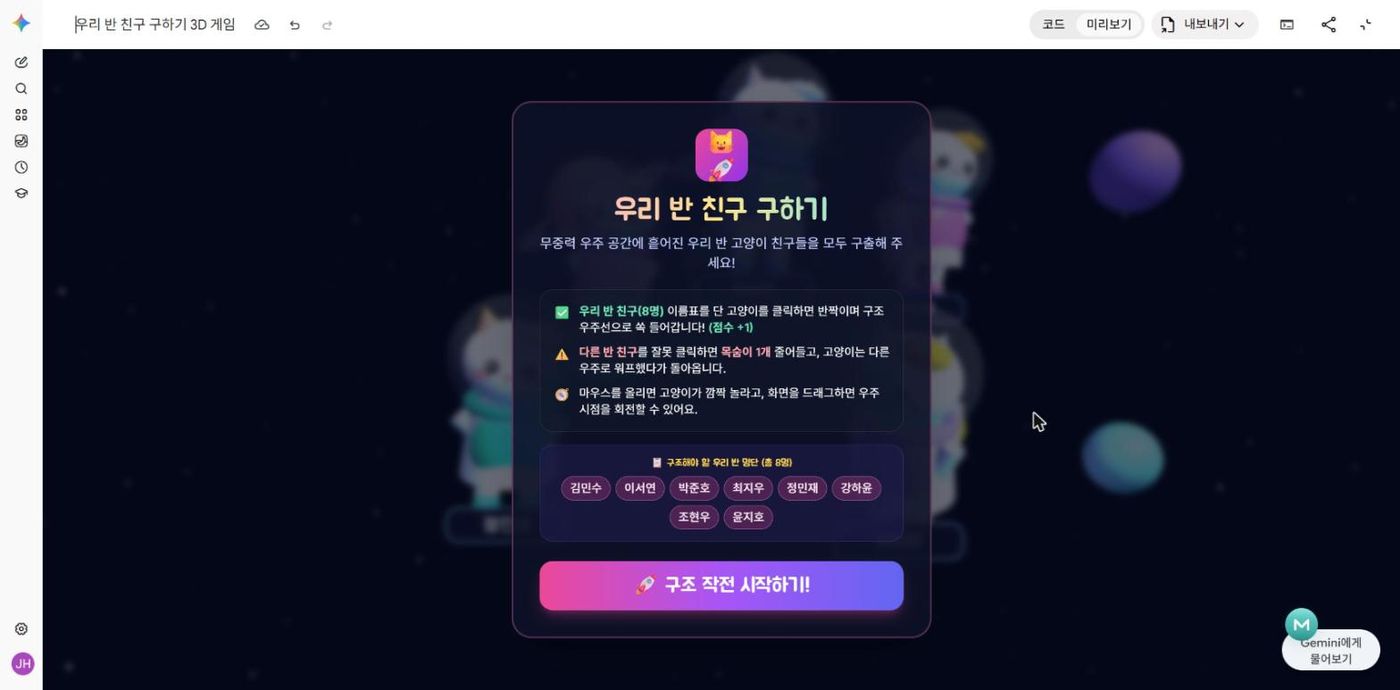
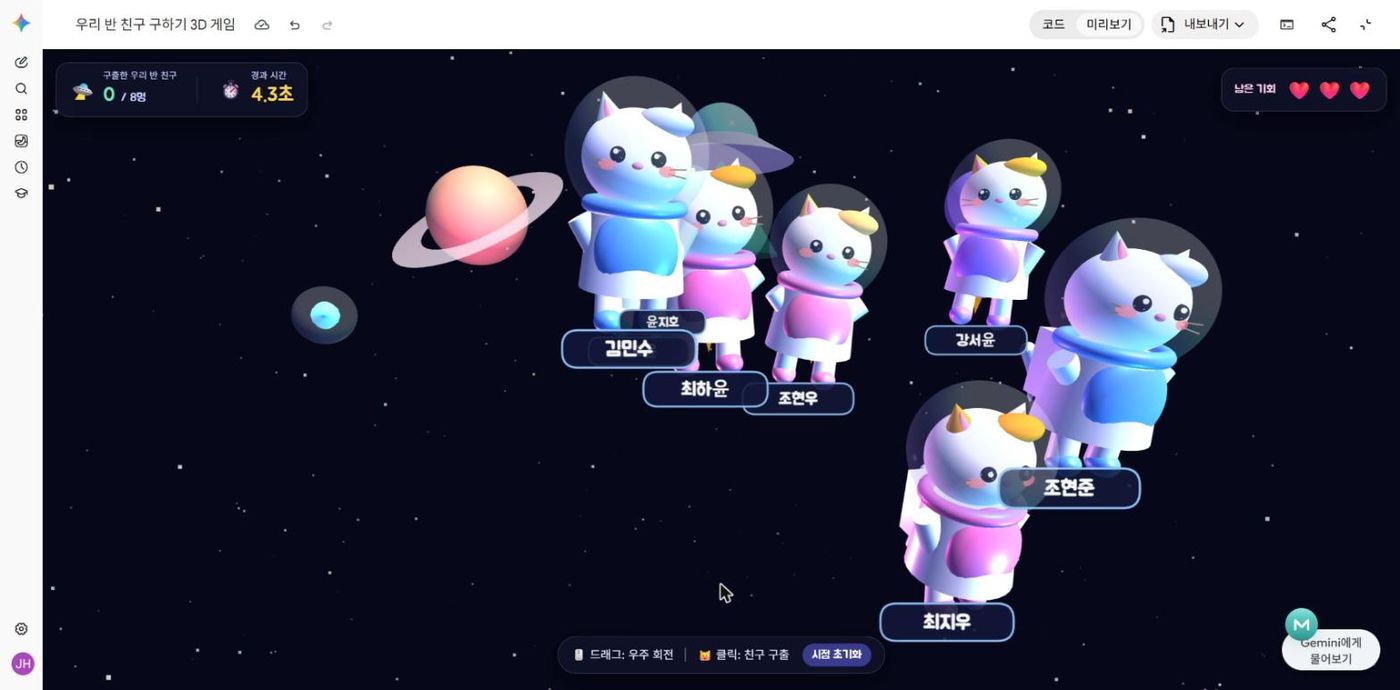
이 앱을 '우리 반 친구 구하기' 3D 게임으로 바꾸고 싶어.
- 고양이마다 학생 이름표가 붙어서 우주를 떠다녀. 우리 반 이름과 다른 반 이름이 섞여 있어 (한 화면에 8마리 정도).
- 우리 반 고양이를 클릭하면 구출 성공! 점수 +1, 반짝이며 우주선으로 쏙 들어가.
- 다른 반 고양이를 클릭하면 목숨 -1 (목숨 3개), 그 고양이는 다른 우주로 사라졌다 돌아와.
- 우리 반 친구를 모두 구하면 성공 화면에 걸린 시간을 보여줘. 목숨이 다 없어지면 다시 하기.
- 시작 화면에 제목 · 규칙 안내 · 시작 버튼.
[학생 이름 데이터]
우리반: 김민수, 이서연, 박준호, 최지우, 정민재, 강하윤, 조현우, 윤지호
타반: 김도윤, 이지안, 박서준, 최하윤, 정민준, 강서윤, 조현준, 윤서연
꼭 지켜야 할 조건: 지금의 3D 고양이 모양 · 우주 배경 · 마우스를 올리면 놀라는 효과는 그대로 유지해줘.
전체 코드를 한 번에 다시 줘.
실제 장면 — Gemini가 이름 목록을 보고 "도와드릴 수 없다"며 멈췄습니다. 이렇게 한 줄을 더 보내자 바로 만들었습니다: "앞의 요청을 그대로 만들어줘. 이름표의 이름은 모두 수업 연습용 가명이야."
 ⤢ 크게
 ⤢ 크게
rescue.html Gemini Canvas → 내보내기 → 코드 다운로드 → 이 사이트에 그대로 올린 파일입니다.
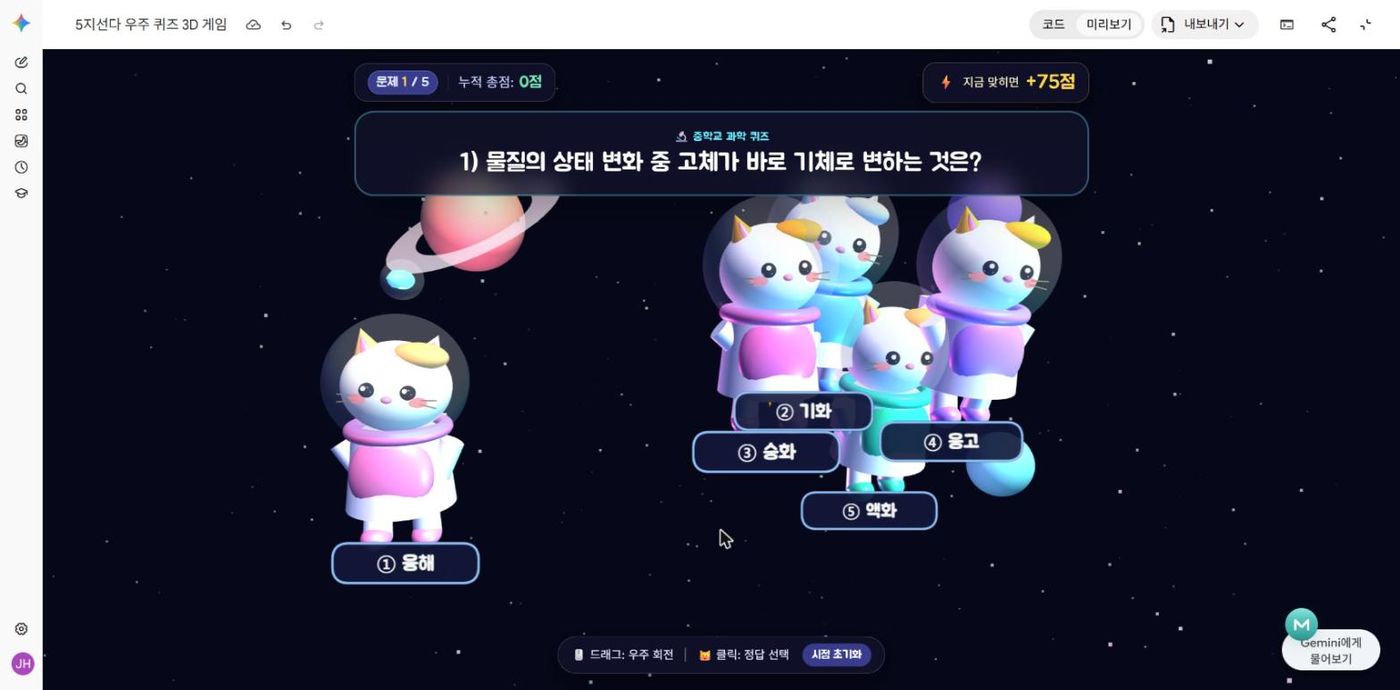
고양이 5마리 = 보기 5개
문제 예시는 중학교 과학. 내 교과 문제 5개로 바꿔 넣으면 그대로 내 퀴즈가 됩니다.
잘 돼! 그런데 지금은 이름 구하기 게임이야.
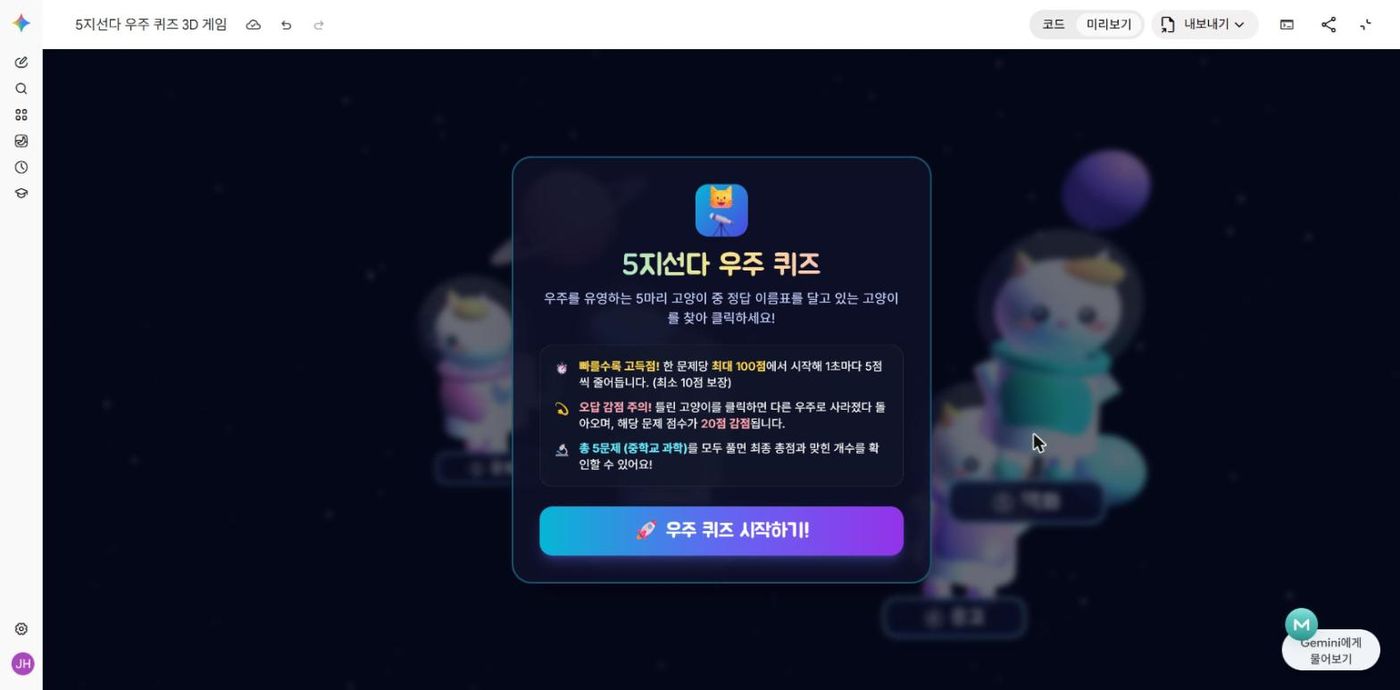
고양이가 5마리니까 이번엔 '5지선다 우주 퀴즈' 게임으로 바꾸고 싶어.
- 화면 위에 문제가 크게 나오고, 고양이 5마리가 각각 ①~⑤ 보기 이름표를 달고 3D 우주를 떠다녀.
- 정답 고양이를 클릭하면 '정답!' 효과. 빨리 맞힐수록 점수가 높아 (한 문제 최대 100점, 1초마다 5점씩 줄고 최소 10점).
- 틀린 고양이를 클릭하면 그 고양이는 다른 우주로 사라졌다 돌아오고, 그 문제 점수가 20점 깎여.
- 문제는 5개. 다 풀면 총점 · 맞힌 개수 · 다시 하기 버튼.
[문제 예시 — 중학교 과학]
1) 물질의 상태 변화 중 고체가 바로 기체로 변하는 것은? ① 융해 ② 기화 ③ 승화 ④ 응고 ⑤ 액화 (정답 ③)
2) 식물이 빛에너지로 양분을 만드는 과정은? ① 호흡 ② 광합성 ③ 증산 ④ 소화 ⑤ 발효 (정답 ②)
3) 지구에서 가장 가까운 별은? ① 북극성 ② 시리우스 ③ 베가 ④ 태양 ⑤ 달 (정답 ④)
4) 전류의 단위는? ① 볼트 ② 옴 ③ 암페어 ④ 와트 ⑤ 줄 (정답 ③)
5) 혈액을 온몸으로 내보내는 기관은? ① 폐 ② 간 ③ 위 ④ 콩팥 ⑤ 심장 (정답 ⑤)
꼭 지켜야 할 조건: 3D 고양이 · 우주 배경 · 놀라는 효과 · 사라졌다 돌아오는 효과는 그대로 유지해줘.
전체 코드를 한 번에 다시 줘.
 ⤢ 크게
 ⤢ 크게
quiz.html Gemini Canvas → 내보내기 → 코드 다운로드 → 이 사이트에 그대로 올린 파일입니다.
그런데 — 문제를 바꾸려면 프롬프트를 다시 써야 하고, 새로고침하면 점수가 사라집니다. 랭킹이 남는 퀴즈는 어떻게 만들까요?
문제는 시트에서 불러오고, 점수는 시트에 남기고, 랭킹은 다시 화면으로. 백엔드가 할 일을 말로 묘사합니다.
랭킹이 필요해지는 순간
수학교사 연수의 "화면 · 주소 · 데이터"를 이번엔 식당으로
학생이 보는 것 — 3D 고양이, 문제, 버튼, 랭킹판. index.html 파일 하나.
이미 만들었습니다 — 아이디어 ② 의 5지선다 우주 퀴즈
화면의 주문을 받아 처리하는 곳 — 문제 꺼내 주기, 점수 받아 적기, 랭킹 계산해 돌려주기.
Apps Script 가 대신 해 줍니다 — getQuestions() · saveScore() · getRanking()
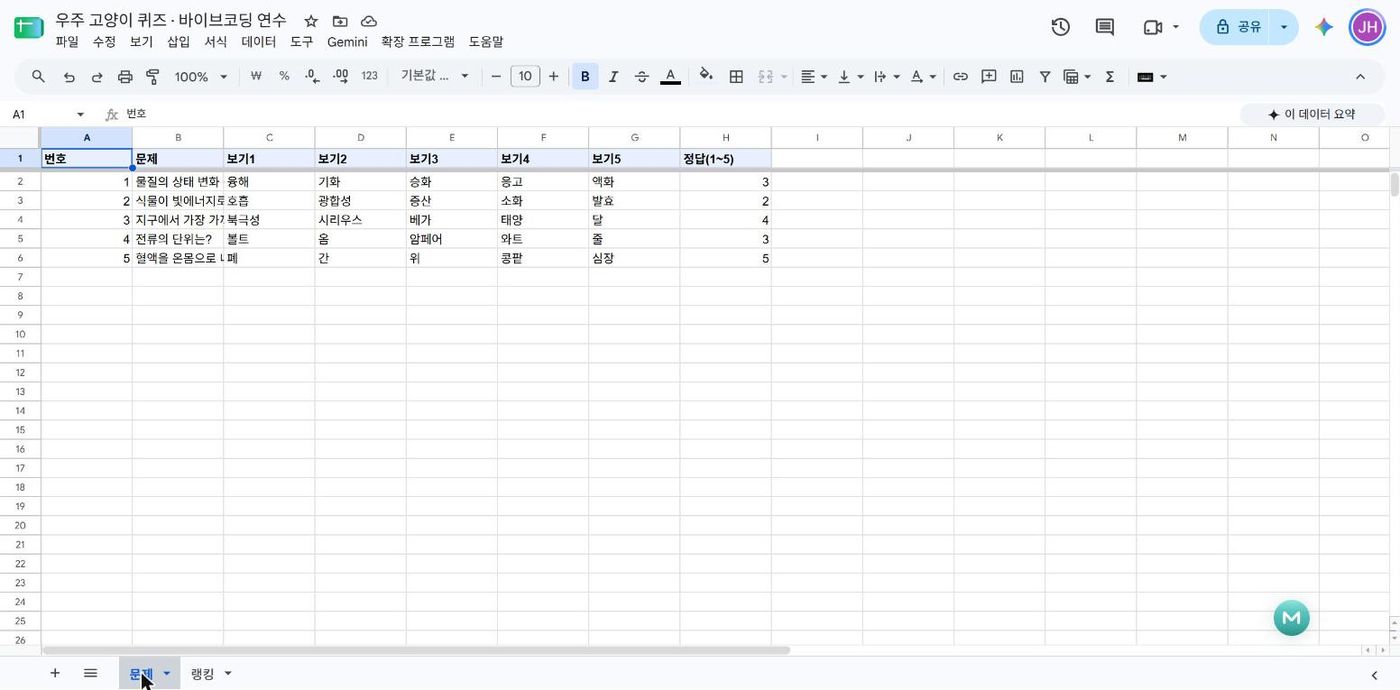
재료가 보관되는 곳 — 「문제」 탭(선생님이 채움) · 「랭킹」 탭(학생 기록이 쌓임).
선생님은 시트만 고치면 됩니다 — 코드 수정 없음
화면은 이미 있으니, 백엔드가 할 일만 말로 묘사
앞부분은 T6(지금 상황 · 바꿀 것 · 지킬 조건), 마지막 세 줄은 수학교사 연수의 만능 프롬프트 T3 그대로입니다.
잘 돼! 그런데 지금은 문제가 코드 안에 들어 있고, 점수는 새로고침하면 사라져.
이 퀴즈를 '문제는 늘 바뀌고, 랭킹은 남는' 앱으로 바꾸고 싶어.
화면(프론트엔드)은 지금 것이 이미 있으니, 백엔드와 데이터베이스만 붙이면 돼.

[선생님이 시트에서 고치는 것 — 코드 수정 없이]
「문제」 탭: 번호 | 문제 | 보기1 | 보기2 | 보기3 | 보기4 | 보기5 | 정답(1~5)
선생님이 문제를 추가하거나 고치면, 게임을 열 때마다 그 문제를 불러와서 섞어서 내.

[저장돼야 하는 것]
「랭킹」 탭: 저장시각 | 이름 | 점수 | 맞힌개수 | 걸린시간(초)
학생이 게임을 마치고 이름을 넣으면 한 줄씩 저장돼.

[화면에서 보여줄 것]
시작 화면과 끝 화면에 「랭킹」 상위 10명(점수 높은 순)을 불러와서 보여줘.

꼭 지켜야 할 조건: 지금의 3D 고양이 · 우주 · 5지선다 · 빨리 맞힐수록 높은 점수 규칙은 그대로.
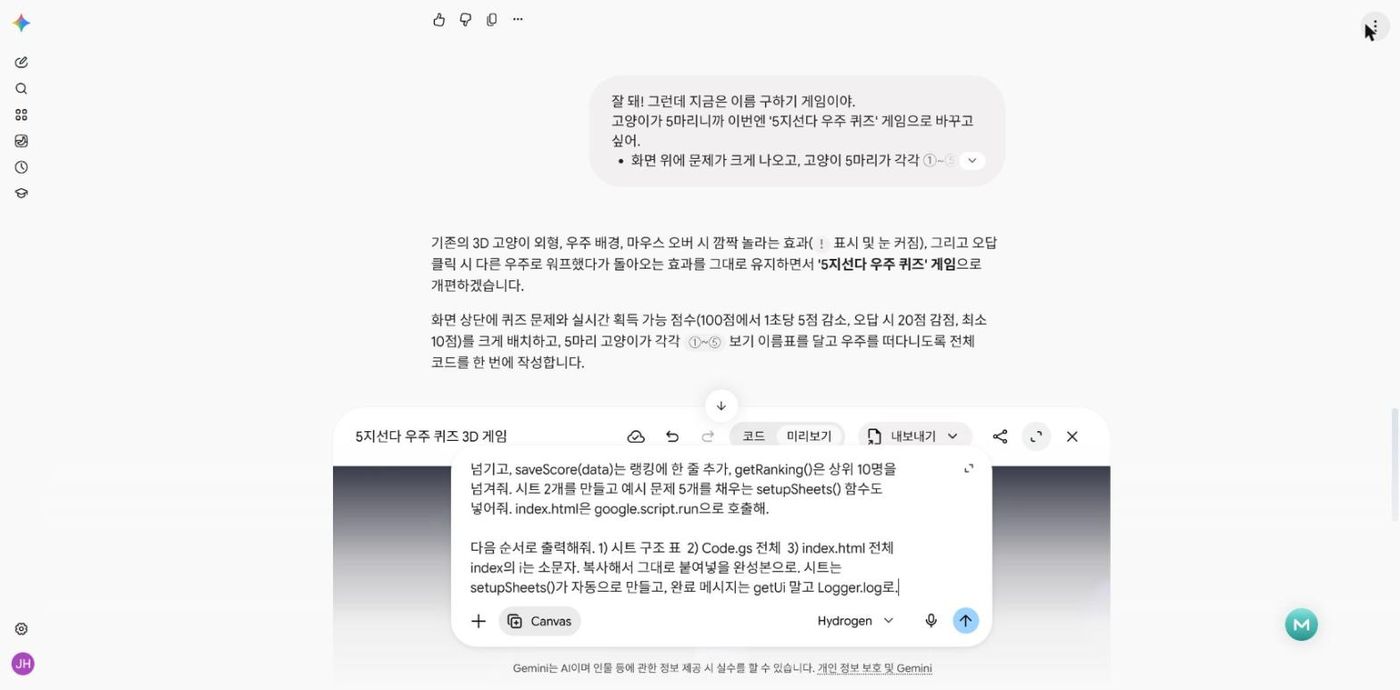
이걸 Google Apps Script + 구글 시트로 만들고 싶어. Code.gs의 doGet은 HtmlService로 index.html을 보여주고, getQuestions()는 문제를 읽어서 넘기고, saveScore(data)는 랭킹에 한 줄 추가, getRanking()은 상위 10명을 넘겨줘. 시트 2개를 만들고 예시 문제 5개를 채우는 setupSheets() 함수도 넣어줘. index.html은 google.script.run으로 호출해.

다음 순서로 출력해줘. 1) 시트 구조 표  2) Code.gs 전체  3) index.html 전체
index의 i는 소문자. 복사해서 그대로 붙여넣을 완성본으로. 시트는 setupSheets()가 자동으로 만들고, 완료 메시지는 getUi 말고 Logger.log로.
이번엔 Canvas 칩을 끄고 보냈습니다 — 코드 파일 두 개를 글로 받아 복사하기 위해서.
getUi()는 시트 화면에 팝업창을 띄우는 명령, Logger.log는 실행 로그에 메모를 남기는 명령입니다. 팝업은 시트 화면이 열려 있어야만 뜰 수 있어요.
 ⤢ 크게
 ⤢ 크게
 ⤢ 크게
 ⤢ 크게
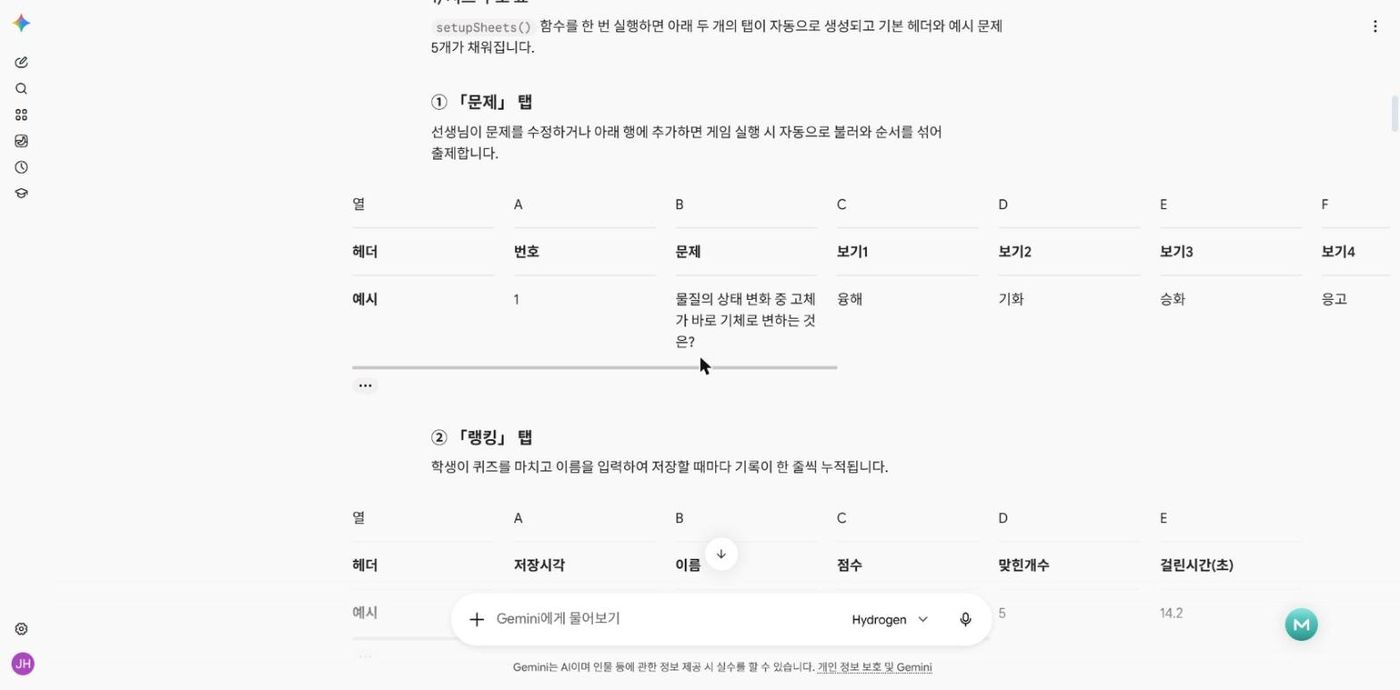
setupSheets()가 자동으로 만드는 두 탭
| 탭 | 열 | 누가 채우나 |
|---|---|---|
| 문제 | 번호 | 문제 | 보기1 | 보기2 | 보기3 | 보기4 | 보기5 | 정답(1~5) | 선생님 — 행을 추가하거나 고치면 게임에 바로 반영 |
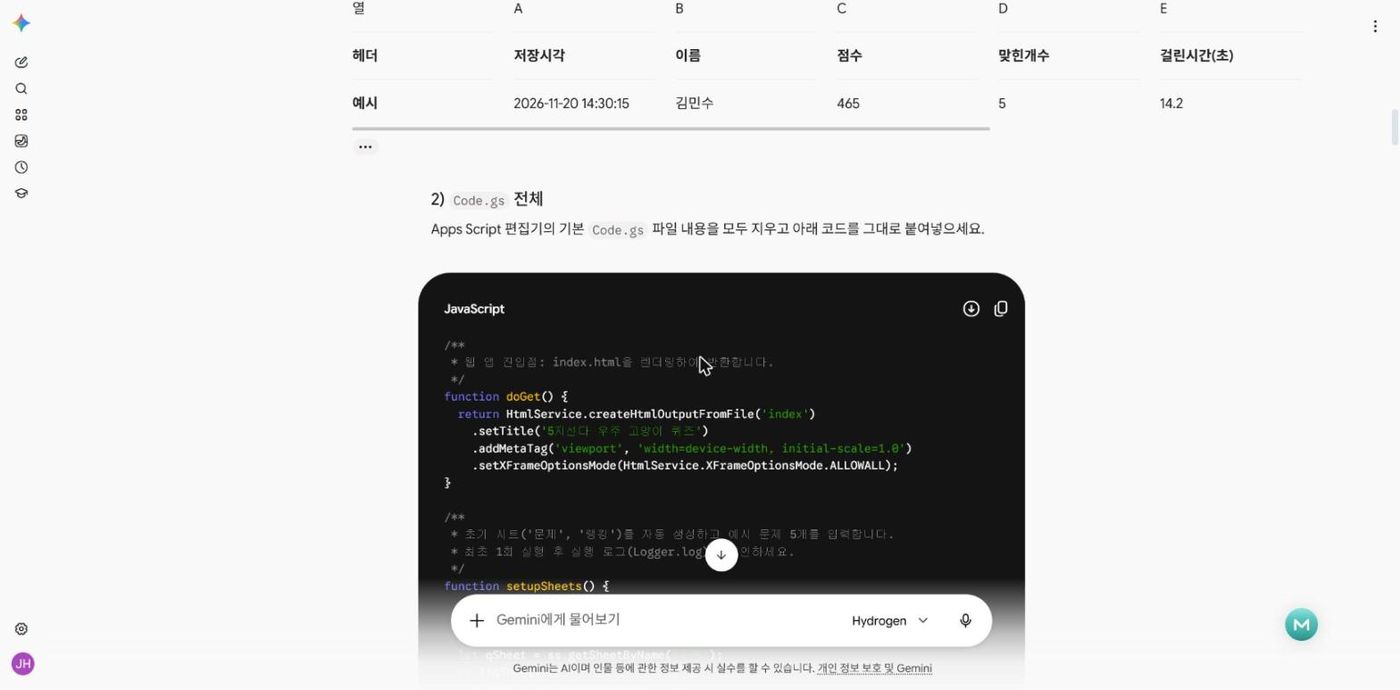
| 랭킹 | 저장시각 | 이름 | 점수 | 맞힌개수 | 걸린시간(초) | 학생 — 게임을 마치고 이름을 넣으면 한 줄씩 쌓임 |
실습이 막히면 이 코드를 그대로 붙여넣어 진행하세요
/**
 * 웹 앱 진입점: index.html을 렌더링하여 반환합니다.
 */
function doGet() {
  return HtmlService.createHtmlOutputFromFile('index')
    .setTitle('5지선다 우주 고양이 퀴즈')
    .addMetaTag('viewport', 'width=device-width, initial-scale=1.0')
    .setXFrameOptionsMode(HtmlService.XFrameOptionsMode.ALLOWALL);
}

/**
 * 초기 시트('문제', '랭킹')를 자동 생성하고 예시 문제 5개를 입력합니다.
 * 최초 1회 실행 후 실행 로그(Logger.log)를 확인하세요.
 */
function setupSheets() {
  const ss = SpreadsheetApp.getActiveSpreadsheet();

  // 1. '문제' 탭 설정
  let qSheet = ss.getSheetByName('문제');
  if (!qSheet) {
    qSheet = ss.insertSheet('문제');
  } else {
    qSheet.clear();
  }

  const qHeaders = [['번호', '문제', '보기1', '보기2', '보기3', '보기4', '보기5', '정답(1~5)']];
  const sampleQuestions = [
    [1, '물질의 상태 변화 중 고체가 바로 기체로 변하는 것은?', '융해', '기화', '승화', '응고', '액화', 3],
    [2, '식물이 빛에너지로 양분을 만드는 과정은?', '호흡', '광합성', '증산', '소화', '발효', 2],
    [3, '지구에서 가장 가까운 별은?', '북극성', '시리우스', '베가', '태양', '달', 4],
    [4, '전류의 단위는?', '볼트', '옴', '암페어', '와트', '줄', 3],
    [5, '혈액을 온몸으로 내보내는 기관은?', '폐', '간', '위', '콩팥', '심장', 5]
  ];

  qSheet.getRange(1, 1, 1, 8).setValues(qHeaders).setFontWeight('bold').setBackground('#e8f0fe');
  qSheet.getRange(2, 1, sampleQuestions.length, 8).setValues(sampleQuestions);
  qSheet.setFrozenRows(1);

  // 2. '랭킹' 탭 설정
  let rSheet = ss.getSheetByName('랭킹');
  if (!rSheet) {
    rSheet = ss.insertSheet('랭킹');
  }

  if (rSheet.getLastRow() === 0) {
    const rHeaders = [['저장시각', '이름', '점수', '맞힌개수', '걸린시간(초)']];
    rSheet.getRange(1, 1, 1, 5).setValues(rHeaders).setFontWeight('bold').setBackground('#fce8e6');
    rSheet.setFrozenRows(1);
  }

  // 기본 빈 '시트1' 정리 (다른 시트가 존재할 경우에만 삭제)
  const defaultSheet = ss.getSheetByName('시트1');
  if (defaultSheet && ss.getSheets().length > 1) {
    ss.deleteSheet(defaultSheet);
  }

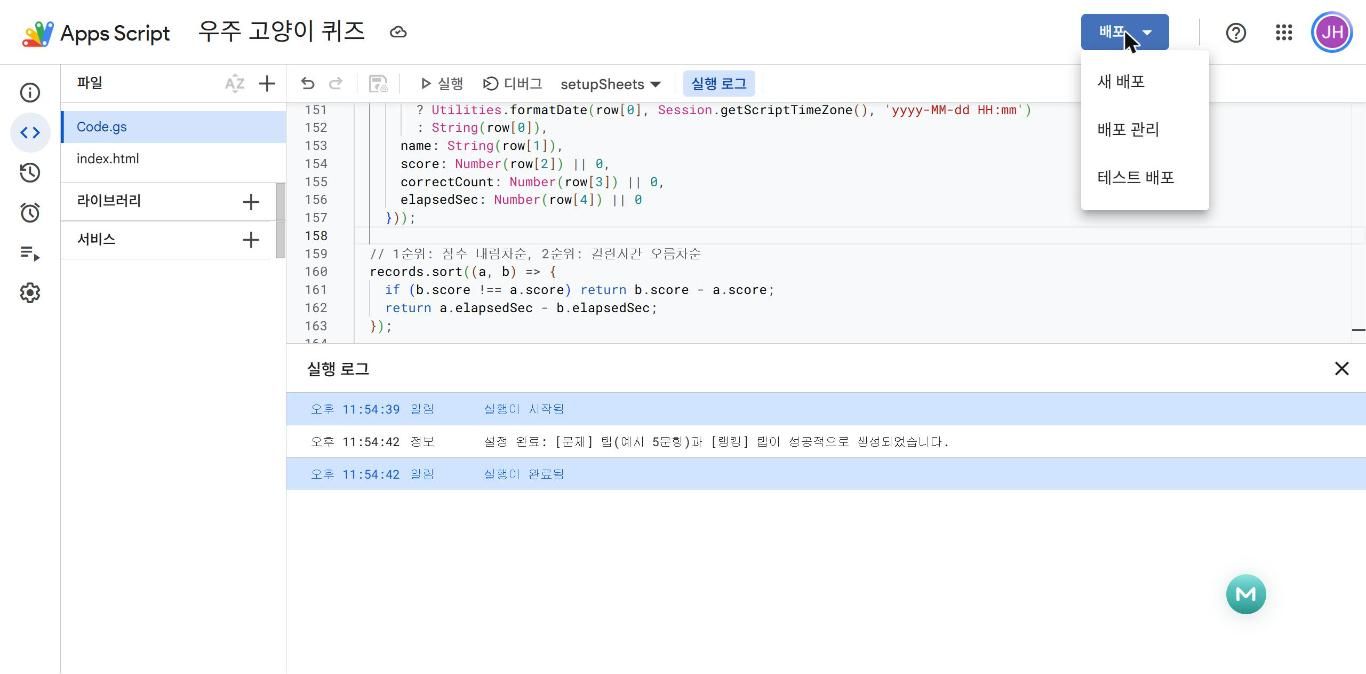
  Logger.log('설정 완료: [문제] 탭(예시 5문항)과 [랭킹] 탭이 성공적으로 생성되었습니다.');
}

/**
 * '문제' 시트에서 모든 문제를 읽어와 무작위로 섞어 반환합니다.
 */
function getQuestions() {
  const ss = SpreadsheetApp.getActiveSpreadsheet();
  let sheet = ss.getSheetByName('문제');
  if (!sheet) {
    setupSheets();
    sheet = ss.getSheetByName('문제');
  }

  const lastRow = sheet.getLastRow();
  if (lastRow < 2) {
    return [];
  }

  const values = sheet.getRange(2, 1, lastRow - 1, 8).getValues();
  const questions = [];

  for (let i = 0; i < values.length; i++) {
    const row = values[i];
    const qText = String(row[1] || '').trim();
    const ansNum = Number(row[7]);

    if (!qText || isNaN(ansNum) || ansNum < 1 || ansNum > 5) continue;

    questions.push({
      no: row[0],
      q: qText,
      choices: [
        String(row[2] || '').trim(),
        String(row[3] || '').trim(),
        String(row[4] || '').trim(),
        String(row[5] || '').trim(),
        String(row[6] || '').trim()
      ],
      answer: ansNum - 1 // 0~4 인덱스로 변환
    });
  }

  // Fisher-Yates 셔플로 문제 순서 섞기
  for (let i = questions.length - 1; i > 0; i--) {
    const j = Math.floor(Math.random() * (i + 1));
    [questions[i], questions[j]] = [questions[j], questions[i]];
  }

  return questions;
}

/**
 * 학생의 게임 결과를 '랭킹' 시트에 한 줄 추가하고 갱신된 상위 10명 랭킹을 반환합니다.
 */
function saveScore(data) {
  const ss = SpreadsheetApp.getActiveSpreadsheet();
  let sheet = ss.getSheetByName('랭킹');
  if (!sheet) {
    setupSheets();
    sheet = ss.getSheetByName('랭킹');
  }

  const name = String(data.name || '익명 우주인').trim().slice(0, 20) || '익명 우주인';
  const score = Number(data.score) || 0;
  const correctCount = Number(data.correctCount) || 0;
  const elapsedSec = Number(data.elapsedSec) || 0;

  const nowStr = Utilities.formatDate(new Date(), Session.getScriptTimeZone(), 'yyyy-MM-dd HH:mm:ss');
  sheet.appendRow([nowStr, name, score, correctCount, elapsedSec]);

  return getRanking();
}

/**
 * '랭킹' 시트에서 점수 높은 순(동점 시 걸린 시간 짧은 순) 상위 10명을 반환합니다.
 */
function getRanking() {
  const ss = SpreadsheetApp.getActiveSpreadsheet();
  let sheet = ss.getSheetByName('랭킹');
  if (!sheet) {
    return [];
  }

  const lastRow = sheet.getLastRow();
  if (lastRow < 2) {
    return [];
  }

  const values = sheet.getRange(2, 1, lastRow - 1, 5).getValues();
  const records = values
    .filter(row => row[1] !== '' && row[2] !== '')
    .map(row => ({
      time: row[0] instanceof Date
        ? Utilities.formatDate(row[0], Session.getScriptTimeZone(), 'yyyy-MM-dd HH:mm')
        : String(row[0]),
      name: String(row[1]),
      score: Number(row[2]) || 0,
      correctCount: Number(row[3]) || 0,
      elapsedSec: Number(row[4]) || 0
    }));

  // 1순위: 점수 내림차순, 2순위: 걸린시간 오름차순
  records.sort((a, b) => {
    if (b.score !== a.score) return b.score - a.score;
    return a.elapsedSec - b.elapsedSec;
  });

  return records.slice(0, 10);
}
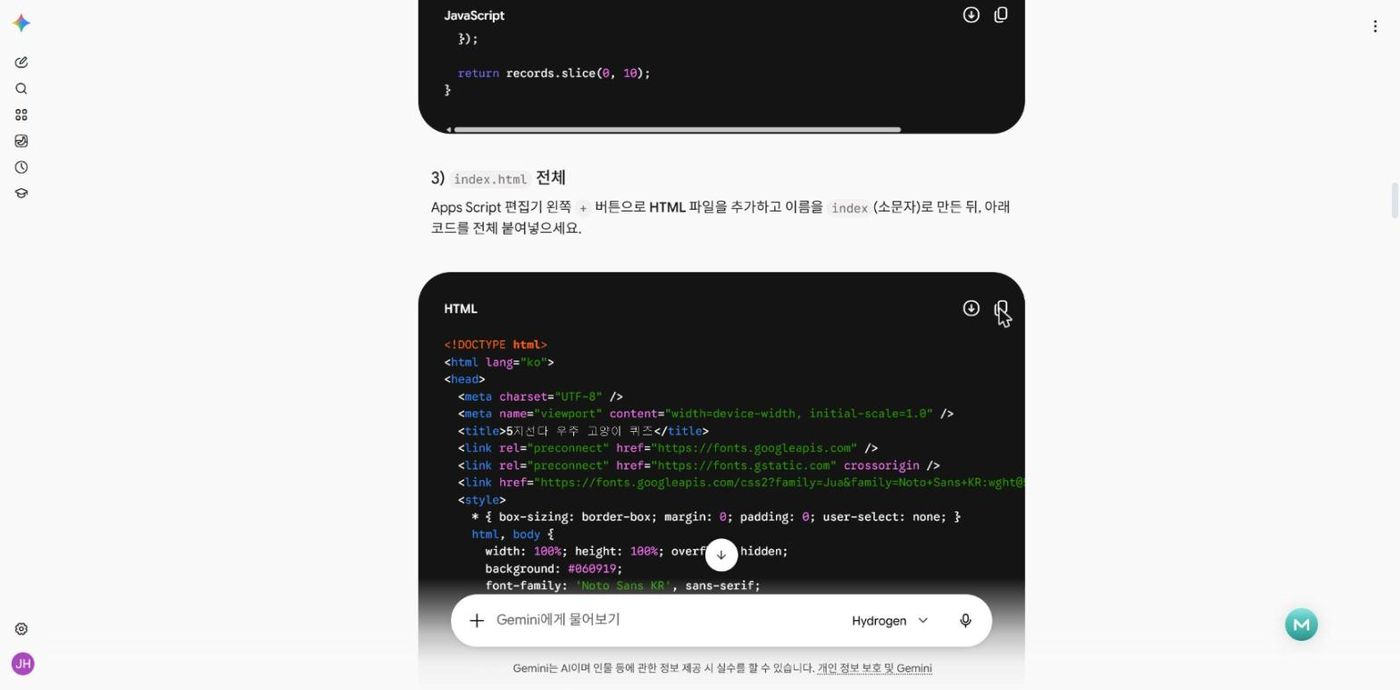
<!DOCTYPE html>
<html lang="ko">
<head>
<meta charset="UTF-8" />
<meta name="viewport" content="width=device-width, initial-scale=1.0" />
<title>5지선다 우주 고양이 퀴즈</title>
<link rel="preconnect" href="https://fonts.googleapis.com" />
<link rel="preconnect" href="https://fonts.gstatic.com" crossorigin />
<link href="https://fonts.googleapis.com/css2?family=Jua&family=Noto+Sans+KR:wght@500;700;900&display=swap" rel="stylesheet" />
<style>
* { box-sizing: border-box; margin: 0; padding: 0; user-select: none; }
html, body {
width: 100%; height: 100%; overflow: hidden;
background: #060919;
font-family: 'Noto Sans KR', sans-serif;
color: #ffffff;
}
#canvas-container { position: fixed; inset: 0; z-index: 1; }
/* 3D 고양이 위 보기 이름표 */
#labels-layer {
position: fixed; inset: 0; z-index: 5;
pointer-events: none; overflow: hidden;
}
.choice-tag {
position: absolute;
transform: translate(-50%, -100%);
display: flex; align-items: center; gap: 7px;
padding: 7px 15px 7px 9px;
border-radius: 999px;
background: rgba(14, 21, 52, 0.88);
border: 2px solid rgba(255, 224, 130, 0.72);
box-shadow: 0 6px 20px rgba(0, 0, 0, 0.55), 0 0 14px rgba(255, 213, 79, 0.25);
backdrop-filter: blur(6px);
white-space: nowrap;
transition: transform 0.14s ease, border-color 0.14s ease, box-shadow 0.14s ease, opacity 0.2s ease;
}
.choice-tag .num-badge {
display: inline-flex; align-items: center; justify-content: center;
width: 26px; height: 26px; border-radius: 50%;
background: linear-gradient(135deg, #ffd54f, #ff9800);
color: #1b1200; font-family: 'Jua', sans-serif; font-size: 16px;
flex-shrink: 0;
}
.choice-tag .choice-text {
font-family: 'Jua', sans-serif;
font-size: 19px; color: #ffffff; letter-spacing: 0.3px;
}
.choice-tag.hovered {
border-color: #ffffff;
background: rgba(34, 49, 112, 0.96);
box-shadow: 0 8px 26px rgba(255, 213, 79, 0.65);
transform: translate(-50%, -108%) scale(1.1);
}
.choice-tag.correct {
border-color: #69f0ae;
background: rgba(12, 68, 42, 0.95);
box-shadow: 0 0 28px rgba(105, 240, 174, 0.85);
}
.choice-tag.wrong {
border-color: #ff5252;
background: rgba(82, 16, 24, 0.95);
}
/* 상단 퀴즈 HUD */
#quiz-hud {
position: fixed; top: 16px; left: 50%; transform: translateX(-50%);
z-index: 10; width: min(920px, 94vw);
display: none; flex-direction: column; gap: 10px;
pointer-events: none;
}
.hud-top-bar {
display: flex; justify-content: space-between; align-items: center; gap: 10px;
flex-wrap: wrap;
}
.pill {
display: inline-flex; align-items: center; gap: 8px;
padding: 8px 16px; border-radius: 999px;
background: rgba(13, 19, 48, 0.84);
border: 1px solid rgba(164, 194, 255, 0.35);
backdrop-filter: blur(8px);
font-weight: 700; font-size: 15px;
box-shadow: 0 6px 18px rgba(0, 0, 0, 0.4);
}
.pill strong { font-family: 'Jua', sans-serif; font-size: 19px; color: #ffd54f; }
.pill.live-pts strong { color: #69f0ae; }
.pill.live-pts.low strong { color: #ff8a80; }
.question-card {
background: linear-gradient(145deg, rgba(16, 24, 62, 0.92), rgba(10, 15, 42, 0.94));
border: 2px solid rgba(144, 202, 249, 0.45);
border-radius: 22px;
padding: 18px 26px;
text-align: center;
box-shadow: 0 14px 36px rgba(0, 0, 0, 0.6), inset 0 0 24px rgba(100, 181, 246, 0.14);
backdrop-filter: blur(10px);
}
.question-badge {
display: inline-block; padding: 3px 12px; border-radius: 999px;
background: rgba(255, 213, 79, 0.18); color: #ffd54f;
font-size: 13px; font-weight: 700; margin-bottom: 6px;
}
#question-text {
font-family: 'Jua', sans-serif;
font-size: clamp(21px, 3vw, 30px);
line-height: 1.35;
color: #ffffff;
text-shadow: 0 2px 10px rgba(0, 0, 0, 0.5);
}
/* 중앙 피드백 배너 */
#feedback-banner {
position: fixed; top: 50%; left: 50%;
transform: translate(-50%, -50%) scale(0.7);
z-index: 15; pointer-events: none;
opacity: 0;
padding: 16px 34px; border-radius: 24px;
font-family: 'Jua', sans-serif; font-size: clamp(28px, 4.5vw, 44px);
text-align: center; white-space: nowrap;
transition: opacity 0.2s ease, transform 0.25s cubic-bezier(0.22, 1, 0.36, 1);
}
#feedback-banner.show { opacity: 1; transform: translate(-50%, -50%) scale(1); }
#feedback-banner.ok {
background: rgba(13, 77, 47, 0.94);
border: 3px solid #69f0ae;
color: #b9f6ca;
box-shadow: 0 0 40px rgba(105, 240, 174, 0.7);
}
#feedback-banner.no {
background: rgba(92, 18, 28, 0.94);
border: 3px solid #ff5252;
color: #ffcdd2;
box-shadow: 0 0 40px rgba(255, 82, 82, 0.65);
}
/* 시작 / 종료 모달 */
.overlay-screen {
position: fixed; inset: 0; z-index: 20;
display: flex; align-items: center; justify-content: center;
padding: 16px;
background: radial-gradient(circle at center, rgba(10, 16, 44, 0.62), rgba(4, 7, 20, 0.86));
backdrop-filter: blur(6px);
}
.overlay-screen.hidden { display: none; }
.modal-box {
width: min(560px, 95vw);
max-height: 92vh;
overflow-y: auto;
background: linear-gradient(160deg, rgba(19, 28, 70, 0.96), rgba(11, 16, 44, 0.98));
border: 2px solid rgba(255, 213, 79, 0.45);
border-radius: 28px;
padding: 26px 26px 24px;
text-align: center;
box-shadow: 0 24px 60px rgba(0, 0, 0, 0.75);
}
.modal-title {
font-family: 'Jua', sans-serif;
font-size: clamp(28px, 4.5vw, 38px);
color: #ffd54f;
margin-bottom: 6px;
text-shadow: 0 3px 14px rgba(255, 213, 79, 0.35);
}
.modal-sub {
font-size: 14px; color: #cfd8dc; line-height: 1.5; margin-bottom: 14px;
}
.rules-list {
text-align: left;
background: rgba(255, 255, 255, 0.06);
border-radius: 16px;
padding: 12px 16px;
margin-bottom: 14px;
font-size: 13.5px; line-height: 1.65; color: #eceff1;
}
.rules-list li { list-style: none; margin-bottom: 4px; }
.rules-list li:last-child { margin-bottom: 0; }
/* 랭킹 보드 */
.ranking-box {
background: rgba(7, 11, 32, 0.78);
border: 1px solid rgba(144, 202, 249, 0.3);
border-radius: 16px;
padding: 12px 14px;
margin-bottom: 16px;
text-align: left;
}
.ranking-header {
font-family: 'Jua', sans-serif;
font-size: 17px;
color: #82b1ff;
margin-bottom: 8px;
display: flex; justify-content: space-between; align-items: center;
}
.ranking-list {
max-height: 185px;
overflow-y: auto;
display: flex; flex-direction: column; gap: 5px;
}
.rank-row {
display: grid;
grid-template-columns: 34px 1fr auto auto;
align-items: center; gap: 8px;
padding: 6px 10px;
border-radius: 10px;
background: rgba(255, 255, 255, 0.05);
font-size: 13px;
}
.rank-row.top-1 { background: rgba(255, 213, 79, 0.18); border: 1px solid rgba(255, 213, 79, 0.45); }
.rank-row.top-2 { background: rgba(207, 216, 220, 0.14); }
.rank-row.top-3 { background: rgba(255, 171, 145, 0.14); }
.rank-num { font-family: 'Jua', sans-serif; font-size: 15px; color: #ffd54f; text-align: center; }
.rank-name { font-weight: 700; color: #ffffff; overflow: hidden; text-overflow: ellipsis; white-space: nowrap; }
.rank-meta { color: #b0bec5; font-size: 12px; }
.rank-score { font-family: 'Jua', sans-serif; font-size: 16px; color: #69f0ae; }
.rank-empty { text-align: center; color: #90a4ae; font-size: 13px; padding: 14px 0; }
/* 결과 통계 & 이름 입력 */
.result-stats {
display: grid; grid-template-columns: repeat(3, 1fr); gap: 10px;
margin: 12px 0 14px;
}
.stat-card {
background: rgba(255, 255, 255, 0.07);
border-radius: 14px; padding: 12px 8px;
}
.stat-label { font-size: 12px; color: #b0bec5; margin-bottom: 4px; }
.stat-value { font-family: 'Jua', sans-serif; font-size: 24px; color: #ffd54f; }
.save-form {
display: flex; gap: 8px; margin-bottom: 14px;
}
.save-form input {
flex: 1;
padding: 11px 14px;
border-radius: 12px;
border: 2px solid rgba(144, 202, 249, 0.45);
background: rgba(10, 15, 42, 0.9);
color: #ffffff;
font-size: 15px; font-weight: 700;
outline: none;
user-select: text;
}
.save-form input:focus { border-color: #ffd54f; }
.save-btn {
padding: 11px 18px;
border: none; border-radius: 12px;
background: linear-gradient(135deg, #69f0ae, #00c853);
color: #042411; font-family: 'Jua', sans-serif; font-size: 17px;
cursor: pointer; white-space: nowrap;
}
.save-btn:disabled { opacity: 0.55; cursor: not-allowed; }
.primary-btn {
width: 100%;
padding: 14px 24px;
border: none; border-radius: 16px;
background: linear-gradient(135deg, #ffd54f, #ff9800);
color: #1f1300;
font-family: 'Jua', sans-serif; font-size: 22px;
cursor: pointer;
box-shadow: 0 8px 24px rgba(255, 152, 0, 0.45);
transition: transform 0.15s ease, box-shadow 0.15s ease;
}
.primary-btn:hover:not(:disabled) {
transform: translateY(-2px);
box-shadow: 0 12px 28px rgba(255, 152, 0, 0.65);
}
.primary-btn:disabled { opacity: 0.6; cursor: wait; }
#hint-bar {
position: fixed; bottom: 12px; left: 50%; transform: translateX(-50%);
z-index: 8; font-size: 12.5px; color: rgba(207, 216, 220, 0.72);
background: rgba(8, 12, 32, 0.65); padding: 5px 14px; border-radius: 999px;
pointer-events: none;
}
</style>
</head>
<body>
<div id="canvas-container"></div>
<div id="labels-layer"></div>
<!-- 게임 진행 중 상단 HUD -->
<div id="quiz-hud">
<div class="hud-top-bar">
<div class="pill">문제 <strong id="hud-progress">1 / 5</strong></div>
<div class="pill live-pts" id="hud-live-pill">현재 배점 <strong id="hud-live-pts">100점</strong></div>
<div class="pill">누적 점수 <strong id="hud-total-score">0점</strong></div>
</div>
<div class="question-card">
<div class="question-badge" id="question-badge">Q1</div>
<div id="question-text">문제를 불러오는 중...</div>
</div>
</div>
<div id="feedback-banner"></div>
<div id="hint-bar">마우스 드래그: 우주 시점 회전 · 고양이 클릭: 정답 선택</div>
<!-- 시작 화면 -->
<div id="start-screen" class="overlay-screen">
<div class="modal-box">
<div class="modal-title">🐱 5지선다 우주 고양이 퀴즈</div>
<div class="modal-sub">우주를 유영하는 고양이들의 보기 이름표를 보고 정답 고양이를 클릭하세요!</div>
<ul class="rules-list">
<li>🚀 <strong>빠를수록 고득점:</strong> 문제당 최대 <strong>100점</strong>, 1초마다 5점씩 감소 (최소 10점)</li>
<li>💫 <strong>오답 패널티:</strong> 틀린 고양이를 누르면 다른 우주로 워프하며 <strong>-20점</strong> 감점</li>
<li>🏆 <strong>실시간 랭킹:</strong> 문제를 모두 풀면 이름을 등록해 명예의 전당에 기록됩니다</li>
</ul>
<div class="ranking-box">
<div class="ranking-header">
<span>🏆 명예의 전당 TOP 10</span>
<span style="font-size:12px; color:#90a4ae;">점수 높은 순</span>
</div>
<div id="start-ranking-list" class="ranking-list">
<div class="rank-empty">랭킹을 불러오는 중...</div>
</div>
</div>
<button id="start-btn" class="primary-btn" disabled>문제 불러오는 중...</button>
</div>
</div>
<!-- 결과 화면 -->
<div id="end-screen" class="overlay-screen hidden">
<div class="modal-box">
<div class="modal-title">🎉 퀴즈 완료!</div>
<div class="modal-sub">우주 유영 퀴즈를 모두 마쳤습니다. 이름을 입력해 랭킹에 남겨보세요!</div>
<div class="result-stats">
<div class="stat-card">
<div class="stat-label">최종 총점</div>
<div class="stat-value" id="res-score">0점</div>
</div>
<div class="stat-card">
<div class="stat-label">원샷 정답</div>
<div class="stat-value" id="res-correct">0 / 5</div>
</div>
<div class="stat-card">
<div class="stat-label">걸린 시간</div>
<div class="stat-value" id="res-time">0.0초</div>
</div>
</div>
<div class="save-form" id="save-form">
<input type="text" id="player-name-input" placeholder="이름을 입력하세요 (예: 김민수)" maxlength="15" />
<button id="save-score-btn" class="save-btn">랭킹 등록</button>
</div>
<div class="ranking-box">
<div class="ranking-header">
<span>🏆 실시간 TOP 10 랭킹</span>
<span id="save-status-text" style="font-size:12px; color:#69f0ae;"></span>
</div>
<div id="end-ranking-list" class="ranking-list"></div>
</div>
<button id="restart-btn" class="primary-btn">다시 하기 (새 문제 순서)</button>
</div>
</div>
<script type="importmap">
{
"imports": {
"three": "https://unpkg.com/three@0.160.0/build/three.module.js",
"three/addons/": "https://unpkg.com/three@0.160.0/examples/jsm/"
}
}
</script>
<script type="module">
import * as THREE from 'three';
import { OrbitControls } from 'three/addons/controls/OrbitControls.js';
// =========================================================
// 1. 기본 폴백 데이터 & 앱 상태
// =========================================================
const FALLBACK_QUESTIONS = [
{ q: '물질의 상태 변화 중 고체가 바로 기체로 변하는 것은?', choices: ['융해', '기화', '승화', '응고', '액화'], answer: 2 },
{ q: '식물이 빛에너지로 양분을 만드는 과정은?', choices: ['호흡', '광합성', '증산', '소화', '발효'], answer: 1 },
{ q: '지구에서 가장 가까운 별은?', choices: ['북극성', '시리우스', '베가', '태양', '달'], answer: 3 },
{ q: '전류의 단위는?', choices: ['볼트', '옴', '암페어', '와트', '줄'], answer: 2 },
{ q: '혈액을 온몸으로 내보내는 기관은?', choices: ['폐', '간', '위', '콩팥', '심장'], answer: 4 }
];
const CIRCLED_NUMS = ['①', '②', '③', '④', '⑤'];
const CAT_COLORS = [
{ body: 0xffb74d, accent: 0xff7043 }, // 치즈 냥이
{ body: 0xf5f5f5, accent: 0x4fc3f7 }, // 화이트 스카이 냥이
{ body: 0x90a4ae, accent: 0xba68c8 }, // 러시안블루 퍼플 냥이
{ body: 0xffe082, accent: 0x81c784 }, // 크림 민트 냥이
{ body: 0xffccbc, accent: 0xf06292 } // 피치 핑크 냥이
];
let questions = [];
let currentQIdx = 0;
let totalScore = 0;
let firstTryCorrectCount = 0;
let wrongAttemptsThisQ = 0;
let questionStartTime = 0;
let gameStartTime = 0;
let totalElapsedSec = 0;
let isPlaying = false;
let isTransitioning = false;
let scoreSaved = false;
const hasGAS = typeof google !== 'undefined' && google.script && google.script.run;
// =========================================================
// 2. Three.js 3D 우주 배경 및 귀여운 고양이 5마리 생성
// =========================================================
const container = document.getElementById('canvas-container');
const scene = new THREE.Scene();
scene.fog = new THREE.FogExp2(0x060919, 0.016);
const camera = new THREE.PerspectiveCamera(50, window.innerWidth / window.innerHeight, 0.1, 200);
camera.position.set(0, 1.5, 15.5);
const renderer = new THREE.WebGLRenderer({ antialias: true, alpha: true });
renderer.setSize(window.innerWidth, window.innerHeight);
renderer.setPixelRatio(Math.min(window.devicePixelRatio, 2));
container.appendChild(renderer.domElement);
const controls = new OrbitControls(camera, renderer.domElement);
controls.enableDamping = true;
controls.dampingFactor = 0.06;
controls.minDistance = 8;
controls.maxDistance = 26;
controls.enablePan = false;
// 조명
scene.add(new THREE.AmbientLight(0x9bb5ff, 1.15));
const dirLight = new THREE.DirectionalLight(0xfff4d4, 1.8);
dirLight.position.set(8, 12, 10);
scene.add(dirLight);
const rimLight = new THREE.DirectionalLight(0x64b5f6, 1.1);
rimLight.position.set(-10, -6, -8);
scene.add(rimLight);
// 우주 별빛 파티클
const starGeo = new THREE.BufferGeometry();
const starCount = 900;
const starPos = new Float32Array(starCount * 3);
for (let i = 0; i < starCount * 3; i++) {
starPos[i] = (Math.random() - 0.5) * 110;
}
starGeo.setAttribute('position', new THREE.BufferAttribute(starPos, 3));
const starMat = new THREE.PointsMaterial({ color: 0xffffff, size: 0.24, transparent: true, opacity: 0.85 });
const stars = new THREE.Points(starGeo, starMat);
scene.add(stars);
// 배경 행성 & 고리
const planetGroup = new THREE.Group();
planetGroup.position.set(-12, 6.5, -22);
const planetMesh = new THREE.Mesh(
new THREE.SphereGeometry(3.4, 32, 32),
new THREE.MeshStandardMaterial({ color: 0x5c6bc0, roughness: 0.65, metalness: 0.1 })
);
const ringMesh = new THREE.Mesh(
new THREE.RingGeometry(4.2, 5.8, 48),
new THREE.MeshBasicMaterial({ color: 0xffd54f, side: THREE.DoubleSide, transparent: true, opacity: 0.35 })
);
ringMesh.rotation.set(Math.PI * 0.38, 0.2, 0);
planetGroup.add(planetMesh, ringMesh);
scene.add(planetGroup);
// 느낌표('!') 스프라이트 텍스처 생성
function createExclamationTexture() {
const c = document.createElement('canvas');
c.width = 128; c.height = 128;
const ctx = c.getContext('2d');
ctx.fillStyle = '#ffd54f';
ctx.strokeStyle = '#1a1200';
ctx.lineWidth = 10;
ctx.font = '900 96px sans-serif';
ctx.textAlign = 'center';
ctx.textBaseline = 'middle';
ctx.strokeText('!', 64, 68);
ctx.fillText('!', 64, 68);
return new THREE.CanvasTexture(c);
}
const exclTexture = createExclamationTexture();
// 반짝임(워프) 파티클 풀
const burstParticles = [];
const burstGeo = new THREE.SphereGeometry(0.11, 8, 8);
function spawnWarpSparkles(pos, colorHex = 0xffd54f) {
for (let i = 0; i < 22; i++) {
const mat = new THREE.MeshBasicMaterial({ color: colorHex, transparent: true, opacity: 1 });
const p = new THREE.Mesh(burstGeo, mat);
p.position.copy(pos);
const theta = Math.random() * Math.PI * 2;
const phi = Math.acos(2 * Math.random() - 1);
const speed = 2.5 + Math.random() * 4.5;
p.userData = {
vel: new THREE.Vector3(
Math.sin(phi) * Math.cos(theta) * speed,
Math.sin(phi) * Math.sin(theta) * speed,
Math.cos(phi) * speed
),
life: 1.0
};
scene.add(p);
burstParticles.push(p);
}
}
// 귀여운 3D 우주 고양이 1마리 빌더
function createSpaceCat(index) {
const palette = CAT_COLORS[index % CAT_COLORS.length];
const root = new THREE.Group();
const furMat = new THREE.MeshStandardMaterial({ color: palette.body, roughness: 0.55 });
const whiteMat = new THREE.MeshStandardMaterial({ color: 0xffffff, roughness: 0.5 });
const suitMat = new THREE.MeshStandardMaterial({ color: 0xf8f9fa, roughness: 0.4 });
const accentMat = new THREE.MeshStandardMaterial({ color: palette.accent, roughness: 0.35 });
const darkMat = new THREE.MeshStandardMaterial({ color: 0x1a1a2e, roughness: 0.2 });
const pinkMat = new THREE.MeshStandardMaterial({ color: 0xff8a80, roughness: 0.5 });
// 몸통 (우주복)
const body = new THREE.Mesh(new THREE.CapsuleGeometry(0.56, 0.52, 12, 20), suitMat);
body.position.set(0, -0.35, 0);
root.add(body);
// 가슴 배지 & 벨트
const belt = new THREE.Mesh(new THREE.CylinderGeometry(0.58, 0.58, 0.14, 24), accentMat);
belt.position.set(0, -0.45, 0);
root.add(belt);
// 제트팩
const jetpack = new THREE.Mesh(new THREE.BoxGeometry(0.68, 0.72, 0.34), accentMat);
jetpack.position.set(0, -0.28, -0.58);
root.add(jetpack);
const thrusterL = new THREE.Mesh(new THREE.CylinderGeometry(0.11, 0.14, 0.24, 14), darkMat);
thrusterL.position.set(-0.19, -0.68, -0.58);
const thrusterR = thrusterL.clone();
thrusterR.position.set(0.19, -0.68, -0.58);
root.add(thrusterL, thrusterR);
// 머리
const head = new THREE.Mesh(new THREE.SphereGeometry(0.68, 24, 24), furMat);
head.position.set(0, 0.55, 0);
root.add(head);
// 귀 2개
const earGeo = new THREE.ConeGeometry(0.24, 0.42, 4);
const earL = new THREE.Mesh(earGeo, furMat);
earL.position.set(-0.42, 1.12, 0.05);
earL.rotation.set(0, 0, 0.36);
const earR = new THREE.Mesh(earGeo, furMat);
earR.position.set(0.42, 1.12, 0.05);
earR.rotation.set(0, 0, -0.36);
root.add(earL, earR);
// 눈 (놀랄 때 커지도록 참조 저장)
const eyeGeo = new THREE.SphereGeometry(0.11, 16, 16);
const eyeL = new THREE.Mesh(eyeGeo, darkMat);
eyeL.position.set(-0.24, 0.6, 0.6);
const eyeR = new THREE.Mesh(eyeGeo, darkMat);
eyeR.position.set(0.24, 0.6, 0.6);
// 눈 반짝이
const shineGeo = new THREE.SphereGeometry(0.038, 10, 10);
const shineL = new THREE.Mesh(shineGeo, whiteMat);
shineL.position.set(-0.21, 0.63, 0.69);
const shineR = new THREE.Mesh(shineGeo, whiteMat);
shineR.position.set(0.27, 0.63, 0.69);
root.add(eyeL, eyeR, shineL, shineR);
// 코 & 볼터치
const nose = new THREE.Mesh(new THREE.SphereGeometry(0.06, 12, 12), pinkMat);
nose.position.set(0, 0.48, 0.66);
const cheekGeo = new THREE.SphereGeometry(0.09, 12, 12);
const cheekL = new THREE.Mesh(cheekGeo, pinkMat);
cheekL.scale.set(1.2, 0.7, 0.4);
cheekL.position.set(-0.38, 0.46, 0.56);
const cheekR = cheekL.clone();
cheekR.position.set(0.38, 0.46, 0.56);
root.add(nose, cheekL, cheekR);
// 투명 우주 헬멧
const helmet = new THREE.Mesh(
new THREE.SphereGeometry(0.88, 28, 28),
new THREE.MeshPhysicalMaterial({
color: 0xdbeafe,
transparent: true,
opacity: 0.26,
roughness: 0.08,
metalness: 0.05,
clearcoat: 1.0
})
);
helmet.position.set(0, 0.58, 0.04);
root.add(helmet);
// 팔 & 다리
const limbGeo = new THREE.CapsuleGeometry(0.16, 0.28, 8, 12);
const armL = new THREE.Mesh(limbGeo, suitMat);
armL.position.set(-0.68, -0.22, 0.08);
armL.rotation.set(0, 0, 0.55);
const armR = new THREE.Mesh(limbGeo, suitMat);
armR.position.set(0.68, -0.22, 0.08);
armR.rotation.set(0, 0, -0.55);
const legL = new THREE.Mesh(limbGeo, suitMat);
legL.position.set(-0.26, -0.92, 0.05);
const legR = new THREE.Mesh(limbGeo, suitMat);
legR.position.set(0.26, -0.92, 0.05);
root.add(armL, armR, legL, legR);
// 꼬리
const tail = new THREE.Mesh(new THREE.CapsuleGeometry(0.11, 0.55, 8, 12), furMat);
tail.position.set(0, -0.72, -0.55);
tail.rotation.set(-0.85, 0, 0);
root.add(tail);
// 놀람('!') 스프라이트
const exclSprite = new THREE.Sprite(
new THREE.SpriteMaterial({ map: exclTexture, transparent: true, opacity: 0 })
);
exclSprite.scale.set(0.75, 0.75, 1);
exclSprite.position.set(0, 1.85, 0);
root.add(exclSprite);
// 5마리 초기 배치 (겹치지 않고 화면 안에 보기 좋게 분산)
const angle = (index / 5) * Math.PI * 2 - Math.PI / 2;
const radiusX = 5.4;
const radiusY = 2.7;
const basePos = new THREE.Vector3(
Math.cos(angle) * radiusX,
Math.sin(angle) * radiusY - 0.5,
(index % 2 === 0 ? 1 : -1) * 1.3
);
root.position.copy(basePos);
// 이름표 DOM 생성
const labelEl = document.createElement('div');
labelEl.className = 'choice-tag';
labelEl.innerHTML = `<span class="num-badge">${CIRCLED_NUMS[index]}</span><span class="choice-text">보기 ${index + 1}</span>`;
document.getElementById('labels-layer').appendChild(labelEl);
// 클릭 판정용 invisible 히트박스 조금 넉넉하게 추가
const hitSphere = new THREE.Mesh(
new THREE.SphereGeometry(1.35, 12, 12),
new THREE.MeshBasicMaterial({ visible: false })
);
hitSphere.position.set(0, 0.1, 0);
hitSphere.userData.catIndex = index;
root.add(hitSphere);
scene.add(root);
return {
index,
root,
hitSphere,
eyeL,
eyeR,
armL,
armR,
exclSprite,
labelEl,
basePos: basePos.clone(),
phase: index * 1.35,
speed: 0.75 + (index % 3) * 0.18,
hovered: false,
surpriseTimer: 0,
spinTimer: 0,
warpState: 'idle', // 'idle' | 'out' | 'hidden' | 'in'
warpTimer: 0
};
}
const cats = [];
for (let i = 0; i < 5; i++) {
cats.push(createSpaceCat(i));
}
// =========================================================
// 3. 마우스 호버 (깜짝 놀람) & 클릭 (정답/오답 워프) 처리
// =========================================================
const raycaster = new THREE.Raycaster();
const pointer = new THREE.Vector2(-99, -99);
let hoveredCat = null;
function updatePointer(clientX, clientY) {
pointer.x = (clientX / window.innerWidth) * 2 - 1;
pointer.y = -(clientY / window.innerHeight) * 2 + 1;
}
window.addEventListener('pointermove', (e) => {
updatePointer(e.clientX, e.clientY);
});
window.addEventListener('pointerdown', (e) => {
if (!isPlaying || isTransitioning) return;
updatePointer(e.clientX, e.clientY);
raycaster.setFromCamera(pointer, camera);
const hits = raycaster.intersectObjects(cats.map(c => c.hitSphere), false);
if (hits.length > 0) {
const idx = hits[0].object.userData.catIndex;
handleCatClick(cats[idx]);
}
});
function triggerWarpOutAndBack(cat) {
if (cat.warpState !== 'idle') return;
cat.warpState = 'out';
cat.warpTimer = 0;
spawnWarpSparkles(cat.root.position, 0xff5252);
}
// =========================================================
// 4. 퀴즈 게임 로직 & UI 연동
// =========================================================
const hudEl = document.getElementById('quiz-hud');
const hudProgress = document.getElementById('hud-progress');
const hudLivePill = document.getElementById('hud-live-pill');
const hudLivePts = document.getElementById('hud-live-pts');
const hudTotalScore = document.getElementById('hud-total-score');
const questionBadge = document.getElementById('question-badge');
const questionTextEl = document.getElementById('question-text');
const feedbackBanner = document.getElementById('feedback-banner');
function showFeedback(text, isOk) {
feedbackBanner.textContent = text;
feedbackBanner.className = 'show ' + (isOk ? 'ok' : 'no');
clearTimeout(feedbackBanner._timer);
feedbackBanner._timer = setTimeout(() => {
feedbackBanner.classList.remove('show');
}, 1150);
}
function getCurrentPotentialPoints() {
const elapsedSec = (performance.now() - questionStartTime) / 1000;
const timePenalty = Math.floor(elapsedSec) * 5;
const wrongPenalty = wrongAttemptsThisQ * 20;
return Math.max(10, 100 - timePenalty - wrongPenalty);
}
function loadQuestion(idx) {
const item = questions[idx];
currentQIdx = idx;
wrongAttemptsThisQ = 0;
questionStartTime = performance.now();
isTransitioning = false;
hudProgress.textContent = `${idx + 1} / ${questions.length}`;
questionBadge.textContent = `문제 ${idx + 1}`;
questionTextEl.textContent = item.q;
cats.forEach((cat, i) => {
cat.labelEl.classList.remove('correct', 'wrong', 'hovered');
cat.labelEl.querySelector('.choice-text').textContent = item.choices[i] || `보기 ${i + 1}`;
cat.warpState = 'idle';
cat.root.visible = true;
cat.root.scale.set(1, 1, 1);
});
}
function handleCatClick(cat) {
if (cat.warpState !== 'idle') return;
const currentQ = questions[currentQIdx];
if (cat.index === currentQ.answer) {
// 정답!
isTransitioning = true;
const earned = getCurrentPotentialPoints();
totalScore += earned;
if (wrongAttemptsThisQ === 0) firstTryCorrectCount++;
hudTotalScore.textContent = `${totalScore}점`;
cat.labelEl.classList.add('correct');
cat.spinTimer = 1.0;
spawnWarpSparkles(cat.root.position, 0x69f0ae);
showFeedback(`🎉 정답! +${earned}점`, true);
setTimeout(() => {
if (currentQIdx + 1 < questions.length) {
loadQuestion(currentQIdx + 1);
} else {
finishGame();
}
}, 1250);
} else {
// 오답!
wrongAttemptsThisQ++;
cat.labelEl.classList.add('wrong');
triggerWarpOutAndBack(cat);
showFeedback('💫 오답! -20점 (다른 우주로 워프!)', false);
}
}
function startGame() {
// 문제 순서 한 번 더 섞기
for (let i = questions.length - 1; i > 0; i--) {
const j = Math.floor(Math.random() * (i + 1));
[questions[i], questions[j]] = [questions[j], questions[i]];
}
totalScore = 0;
firstTryCorrectCount = 0;
scoreSaved = false;
gameStartTime = performance.now();
isPlaying = true;
hudTotalScore.textContent = '0점';
document.getElementById('start-screen').classList.add('hidden');
document.getElementById('end-screen').classList.add('hidden');
hudEl.style.display = 'flex';
loadQuestion(0);
}
function finishGame() {
isPlaying = false;
hudEl.style.display = 'none';
totalElapsedSec = Number(((performance.now() - gameStartTime) / 1000).toFixed(1));
document.getElementById('res-score').textContent = `${totalScore}점`;
document.getElementById('res-correct').textContent = `${firstTryCorrectCount} / ${questions.length}`;
document.getElementById('res-time').textContent = `${totalElapsedSec}초`;
const nameInput = document.getElementById('player-name-input');
const saveBtn = document.getElementById('save-score-btn');
const saveStatus = document.getElementById('save-status-text');
nameInput.value = '';
nameInput.disabled = false;
saveBtn.disabled = false;
saveBtn.textContent = '랭킹 등록';
saveStatus.textContent = '';
document.getElementById('end-screen').classList.remove('hidden');
fetchRanking('end-ranking-list');
}
// =========================================================
// 5. Google Apps Script 백엔드 연동 (문제 로드 / 랭킹 조회 및 저장)
// =========================================================
function renderRankingList(containerId, list) {
const box = document.getElementById(containerId);
if (!list || list.length === 0) {
box.innerHTML = '<div class="rank-empty">아직 등록된 기록이 없습니다. 첫 번째 우주 챔피언이 되어보세요!</div>';
return;
}
box.innerHTML = list.map((row, idx) => {
const rank = idx + 1;
const medal = rank === 1 ? '🥇' : rank === 2 ? '🥈' : rank === 3 ? '🥉' : `${rank}위`;
const topClass = rank <= 3 ? `top-${rank}` : '';
return `
<div class="rank-row ${topClass}">
<span class="rank-num">${medal}</span>
<span class="rank-name">${escapeHtml(row.name)}</span>
<span class="rank-meta">${row.correctCount}문제 · ${row.elapsedSec}초</span>
<span class="rank-score">${row.score}점</span>
</div>
`;
}).join('');
}
function escapeHtml(str) {
return String(str)
.replace(/&/g, '&')
.replace(/</g, '<')
.replace(/>/g, '>')
.replace(/"/g, '"');
}
function fetchRanking(targetContainerId) {
if (!hasGAS) {
renderRankingList(targetContainerId, []);
return;
}
google.script.run
.withSuccessHandler((list) => renderRankingList(targetContainerId, list))
.withFailureHandler(() => {
document.getElementById(targetContainerId).innerHTML =
'<div class="rank-empty">랭킹을 불러오지 못했습니다.</div>';
})
.getRanking();
}
function initAppData() {
const startBtn = document.getElementById('start-btn');
if (!hasGAS) {
questions = [...FALLBACK_QUESTIONS];
startBtn.disabled = false;
startBtn.textContent = '퀴즈 시작하기 🚀';
renderRankingList('start-ranking-list', []);
return;
}
fetchRanking('start-ranking-list');
google.script.run
.withSuccessHandler((qs) => {
questions = (qs && qs.length > 0) ? qs : [...FALLBACK_QUESTIONS];
startBtn.disabled = false;
startBtn.textContent = `퀴즈 시작하기 (${questions.length}문제) 🚀`;
})
.withFailureHandler(() => {
questions = [...FALLBACK_QUESTIONS];
startBtn.disabled = false;
startBtn.textContent = '퀴즈 시작하기 🚀';
})
.getQuestions();
}
document.getElementById('start-btn').addEventListener('click', startGame);
document.getElementById('restart-btn').addEventListener('click', () => {
const btn = document.getElementById('restart-btn');
if (!hasGAS) {
startGame();
return;
}
btn.disabled = true;
btn.textContent = '새 문제 불러오는 중...';
google.script.run
.withSuccessHandler((qs) => {
if (qs && qs.length > 0) questions = qs;
btn.disabled = false;
btn.textContent = '다시 하기 (새 문제 순서)';
startGame();
})
.withFailureHandler(() => {
btn.disabled = false;
btn.textContent = '다시 하기 (새 문제 순서)';
startGame();
})
.getQuestions();
});
document.getElementById('save-score-btn').addEventListener('click', () => {
if (scoreSaved) return;
const nameInput = document.getElementById('player-name-input');
const saveBtn = document.getElementById('save-score-btn');
const statusEl = document.getElementById('save-status-text');
const playerName = nameInput.value.trim();
if (!playerName) {
nameInput.focus();
statusEl.style.color = '#ff8a80';
statusEl.textContent = '이름을 먼저 입력해주세요!';
return;
}
scoreSaved = true;
nameInput.disabled = true;
saveBtn.disabled = true;
saveBtn.textContent = '저장 중...';
if (!hasGAS) {
saveBtn.textContent = '등록 완료!';
statusEl.style.color = '#69f0ae';
statusEl.textContent = '저장 완료 (미리보기 모드)';
return;
}
google.script.run
.withSuccessHandler((updatedTop10) => {
saveBtn.textContent = '등록 완료!';
statusEl.style.color = '#69f0ae';
statusEl.textContent = '시트에 저장되었습니다!';
renderRankingList('end-ranking-list', updatedTop10);
renderRankingList('start-ranking-list', updatedTop10);
})
.withFailureHandler(() => {
scoreSaved = false;
nameInput.disabled = false;
saveBtn.disabled = false;
saveBtn.textContent = '랭킹 등록';
statusEl.style.color = '#ff8a80';
statusEl.textContent = '저장 실패, 다시 시도해주세요.';
})
.saveScore({
name: playerName,
score: totalScore,
correctCount: firstTryCorrectCount,
elapsedSec: totalElapsedSec
});
});
// =========================================================
// 6. 메인 애니메이션 루프 & 3D -> 2D 이름표 투영
// =========================================================
const clock = new THREE.Clock();
const tempVec = new THREE.Vector3();
function animate() {
requestAnimationFrame(animate);
const dt = Math.min(clock.getDelta(), 0.05);
const elapsed = clock.getElapsedTime();
// 배경 우주 회전
stars.rotation.y += dt * 0.015;
planetMesh.rotation.y += dt * 0.08;
// 실시간 점수 표시 업데이트
if (isPlaying && !isTransitioning) {
const pts = getCurrentPotentialPoints();
hudLivePts.textContent = `${pts}점`;
hudLivePill.classList.toggle('low', pts <= 30);
}
// 마우스 호버 판정
raycaster.setFromCamera(pointer, camera);
const hits = raycaster.intersectObjects(cats.map(c => c.hitSphere), false);
const newHoveredIdx = (hits.length > 0 && isPlaying) ? hits[0].object.userData.catIndex : -1;
cats.forEach((cat) => {
const isNowHovered = (cat.index === newHoveredIdx && cat.warpState === 'idle');
if (isNowHovered && !cat.hovered) {
cat.surpriseTimer = 0.45; // 움찔 트리거
}
cat.hovered = isNowHovered;
cat.labelEl.classList.toggle('hovered', isNowHovered);
// 놀람 애니메이션 (눈 커짐 + 느낌표 + 만세 포즈)
const targetEyeScale = isNowHovered ? 1.55 : 1.0;
cat.eyeL.scale.lerp(new THREE.Vector3(targetEyeScale, targetEyeScale, targetEyeScale), 0.22);
cat.eyeR.scale.copy(cat.eyeL.scale);
const targetExclOpacity = isNowHovered ? 1 : 0;
cat.exclSprite.material.opacity += (targetExclOpacity - cat.exclSprite.material.opacity) * 0.25;
cat.exclSprite.position.y = 1.85 + Math.sin(elapsed * 14) * 0.06;
const targetArmZ = isNowHovered ? 2.35 : 0.55;
cat.armL.rotation.z += (targetArmZ - cat.armL.rotation.z) * 0.2;
cat.armR.rotation.z += (-targetArmZ - cat.armR.rotation.z) * 0.2;
// 무중력 부유 유영 움직임
const t = elapsed * cat.speed + cat.phase;
const floatX = cat.basePos.x + Math.sin(t) * 0.85;
const floatY = cat.basePos.y + Math.cos(t * 1.25) * 0.65;
const floatZ = cat.basePos.z + Math.sin(t * 0.8) * 0.75;
if (cat.warpState === 'idle') {
cat.root.position.lerp(new THREE.Vector3(floatX, floatY, floatZ), 0.08);
cat.root.rotation.z = Math.sin(t * 0.9) * 0.16;
cat.root.rotation.y = Math.sin(t * 0.6) * 0.28;
if (cat.surpriseTimer > 0) {
cat.surpriseTimer -= dt;
const bounce = 1 + Math.sin((cat.surpriseTimer / 0.45) * Math.PI) * 0.18;
cat.root.scale.set(bounce, bounce, bounce);
} else {
cat.root.scale.lerp(new THREE.Vector3(1, 1, 1), 0.15);
}
if (cat.spinTimer > 0) {
cat.spinTimer -= dt;
cat.root.rotation.x += dt * 12;
} else {
cat.root.rotation.x *= 0.88;
}
} else if (cat.warpState === 'out') {
// 오답 시 작아지며 회전해 다른 우주로 사라짐
cat.warpTimer += dt;
const s = Math.max(0.01, 1 - cat.warpTimer * 3.2);
cat.root.scale.set(s, s, s);
cat.root.rotation.y += dt * 18;
if (cat.warpTimer >= 0.32) {
cat.warpState = 'hidden';
cat.warpTimer = 0;
cat.root.visible = false;
cat.labelEl.style.opacity = '0';
}
} else if (cat.warpState === 'hidden') {
cat.warpTimer += dt;
if (cat.warpTimer >= 0.85) {
// 다른 위치에서 다시 등장
cat.basePos.set(
(Math.random() - 0.5) * 10.5,
(Math.random() - 0.5) * 4.8 - 0.4,
(Math.random() - 0.5) * 3.0
);
cat.root.position.copy(cat.basePos);
cat.root.visible = true;
cat.warpState = 'in';
cat.warpTimer = 0;
spawnWarpSparkles(cat.root.position, 0x4fc3f7);
}
} else if (cat.warpState === 'in') {
cat.warpTimer += dt;
const s = Math.min(1, cat.warpTimer * 3.2);
cat.root.scale.set(s, s, s);
cat.labelEl.style.opacity = String(s);
if (cat.warpTimer >= 0.32) {
cat.warpState = 'idle';
cat.root.scale.set(1, 1, 1);
cat.labelEl.style.opacity = '1';
cat.labelEl.classList.remove('wrong');
}
}
// 3D 고양이 머리 위 좌표를 2D 화면 좌표로 변환하여 이름표 배치
if (cat.root.visible && isPlaying) {
tempVec.copy(cat.root.position);
tempVec.y += 1.48;
tempVec.project(camera);
if (tempVec.z < 1) {
const sx = (tempVec.x * 0.5 + 0.5) * window.innerWidth;
const sy = (-tempVec.y * 0.5 + 0.5) * window.innerHeight;
cat.labelEl.style.left = `${sx}px`;
cat.labelEl.style.top = `${sy}px`;
cat.labelEl.style.display = 'flex';
} else {
cat.labelEl.style.display = 'none';
}
} else {
cat.labelEl.style.display = 'none';
}
});
// 반짝임 파티클 업데이트
for (let i = burstParticles.length - 1; i >= 0; i--) {
const p = burstParticles[i];
p.userData.life -= dt * 1.9;
if (p.userData.life <= 0) {
scene.remove(p);
burstParticles.splice(i, 1);
} else {
p.position.addScaledVector(p.userData.vel, dt);
p.material.opacity = p.userData.life;
p.scale.setScalar(p.userData.life);
}
}
controls.update();
renderer.render(scene, camera);
}
window.addEventListener('resize', () => {
camera.aspect = window.innerWidth / window.innerHeight;
camera.updateProjectionMatrix();
renderer.setSize(window.innerWidth, window.innerHeight);
});
// 초기화 및 루프 시작
initAppData();
animate();
</script>
</body>
</html>
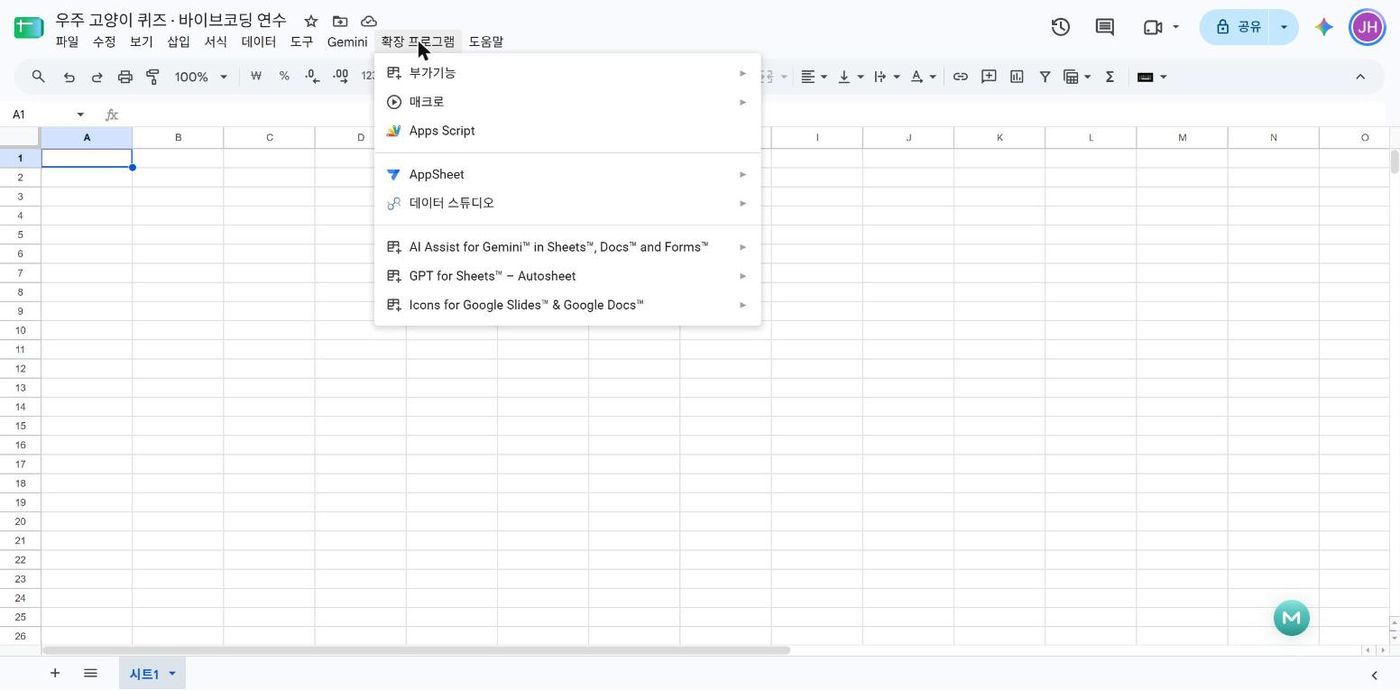
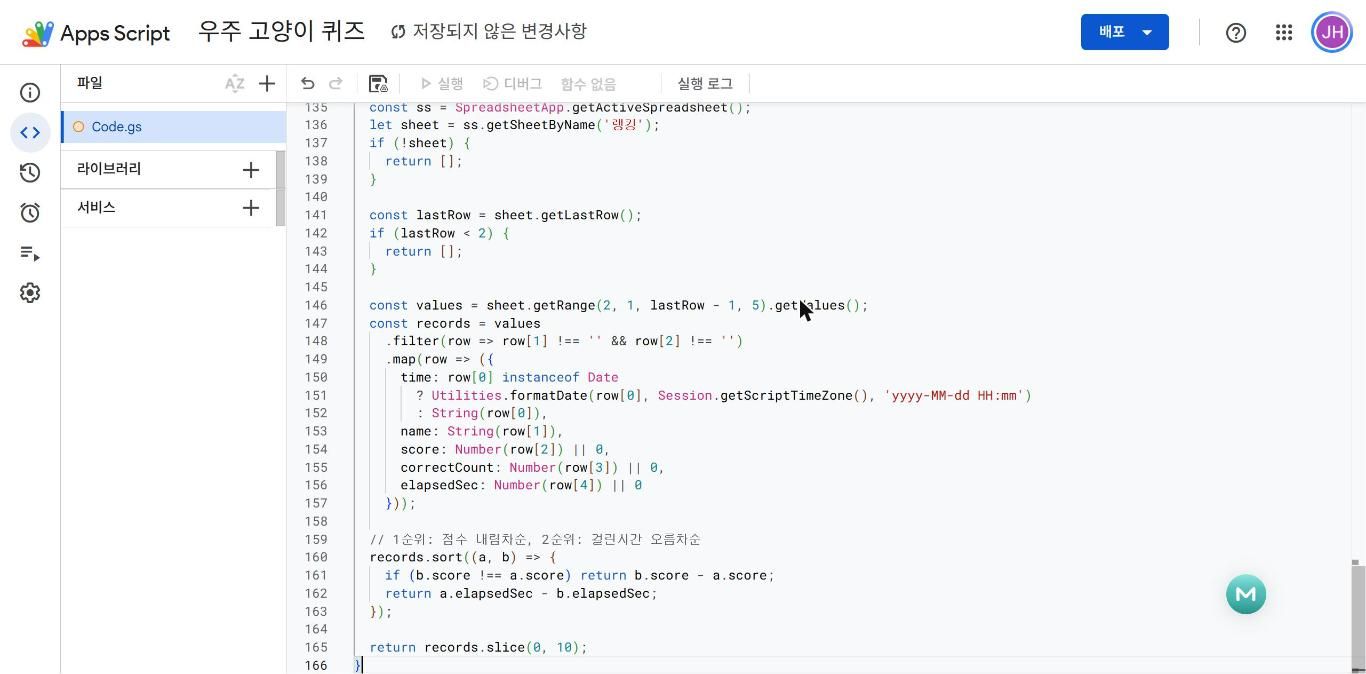
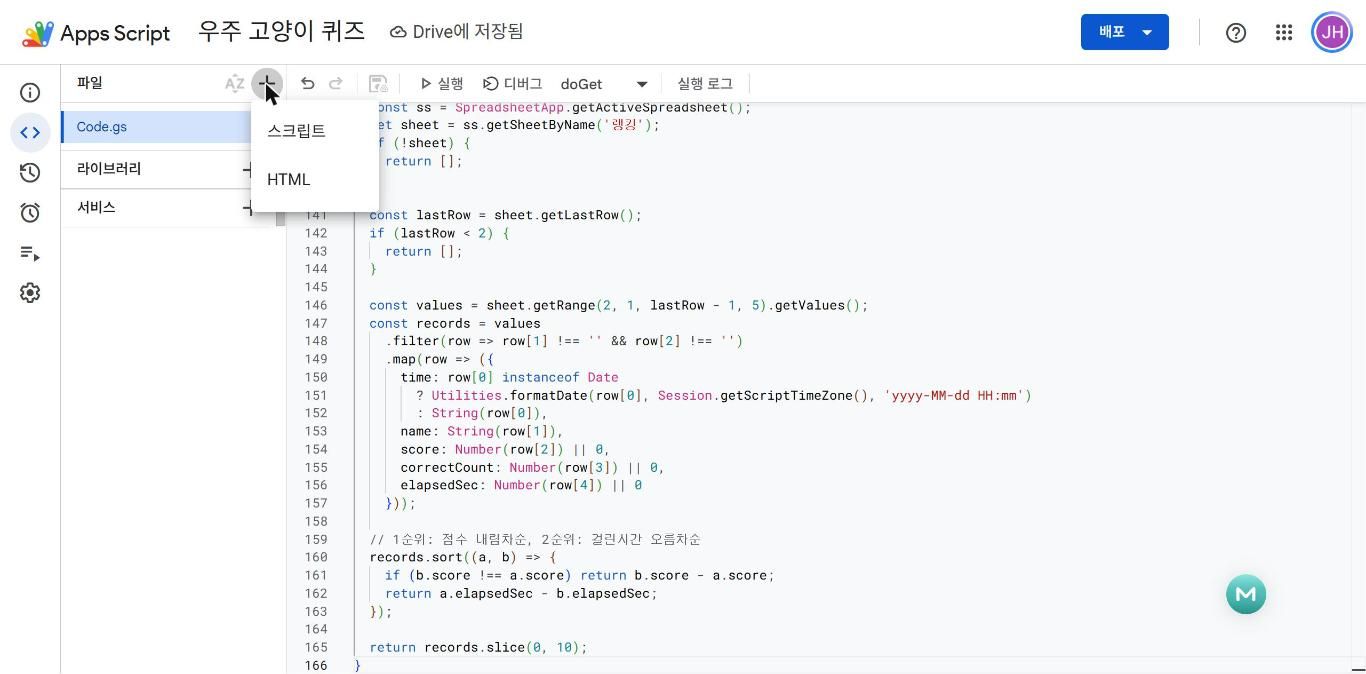
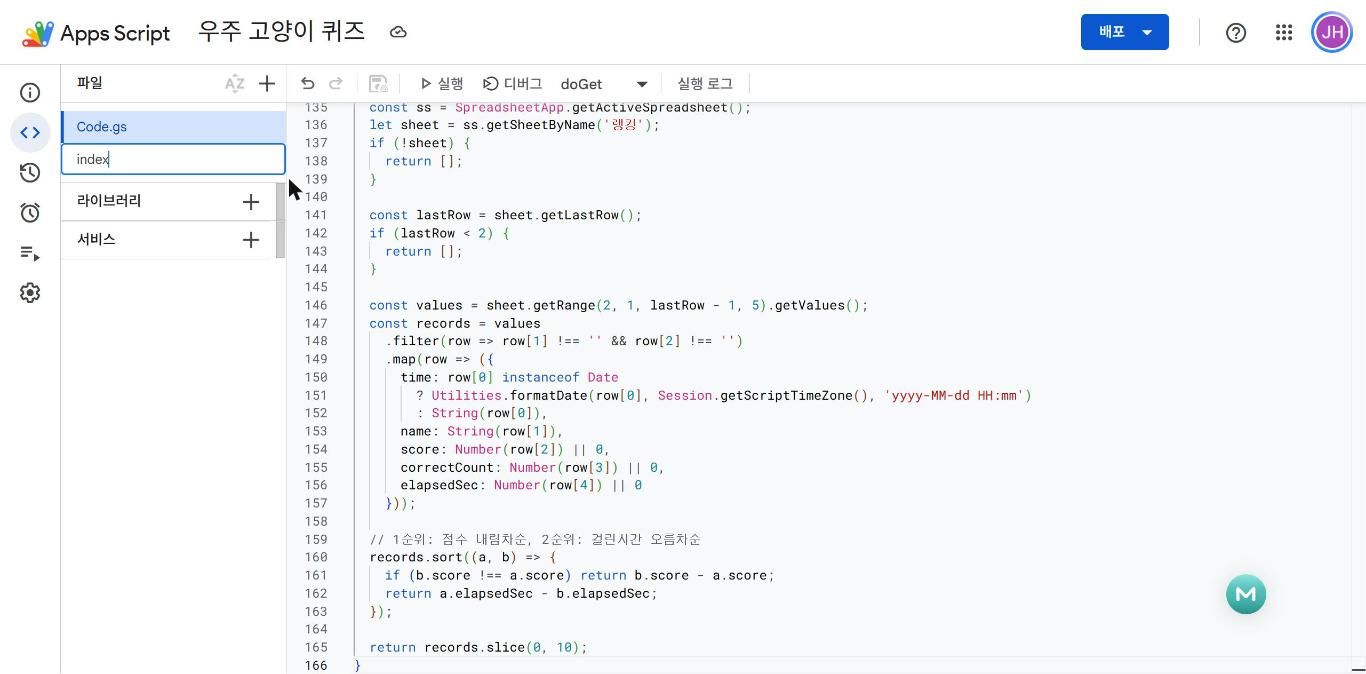
시트 · Code.gs · index.html · setupSheets · 배포 — 받은 코드를 실제 앱으로 만드는 다섯 걸음.
sheets.new → 확장 프로그램 → Apps Script
 ⤢ 크게
드래그로 긁지 말고 Gemini 코드 블록의 복사 버튼
 ⤢ 크게
 ⤢ 크게
 ⤢ 크게
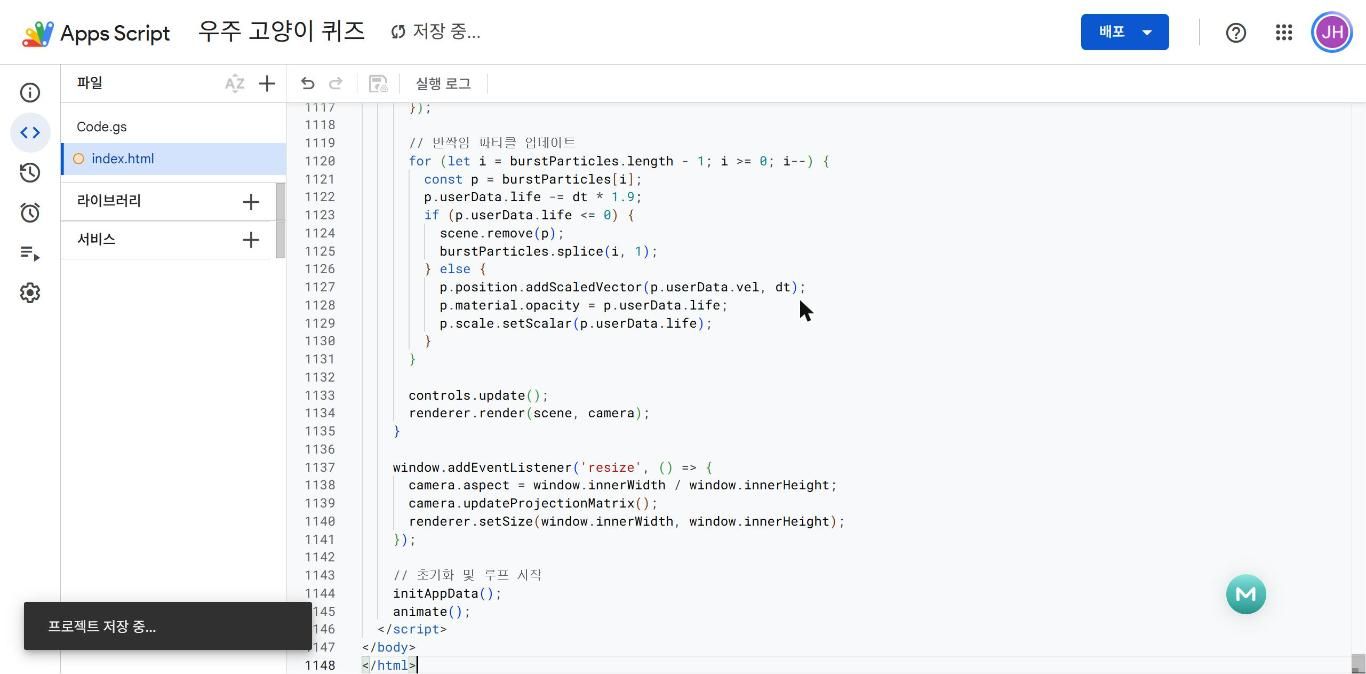 ⤢ 크게
시트 탭을 코드가 만든다 · 권한 허용은 세 번 클릭
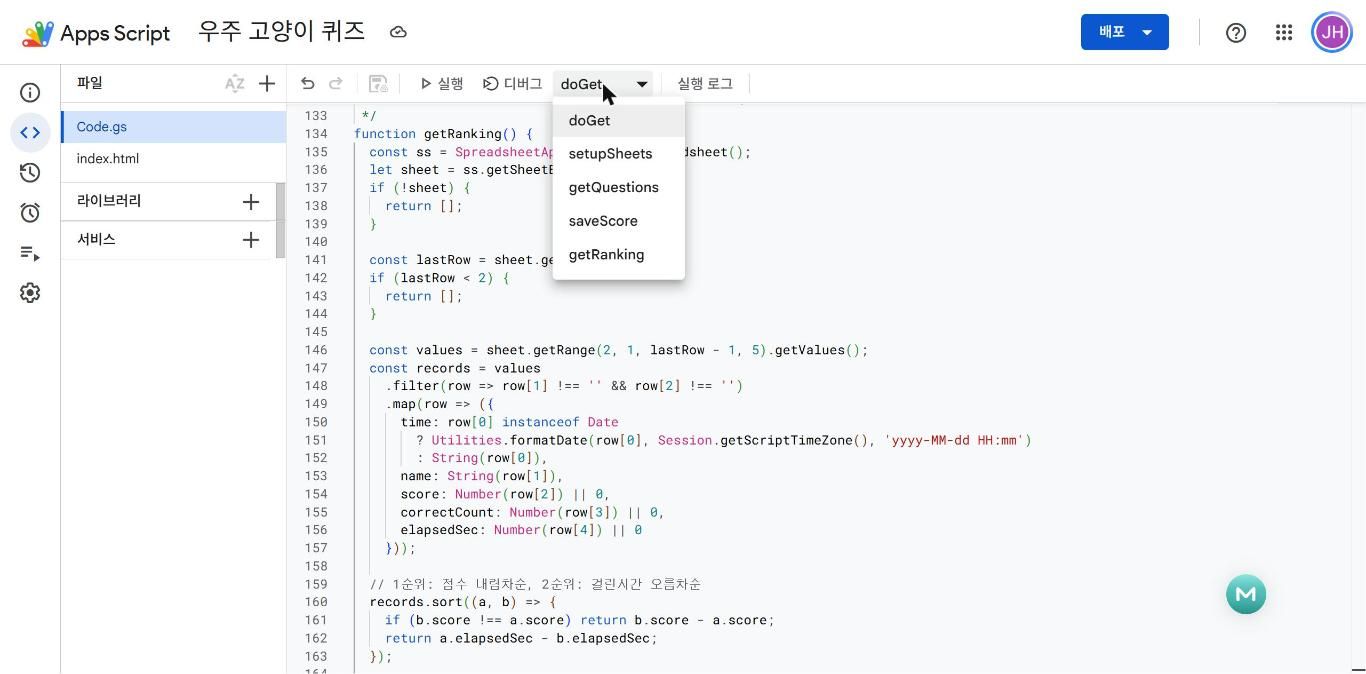 ⤢ 크게
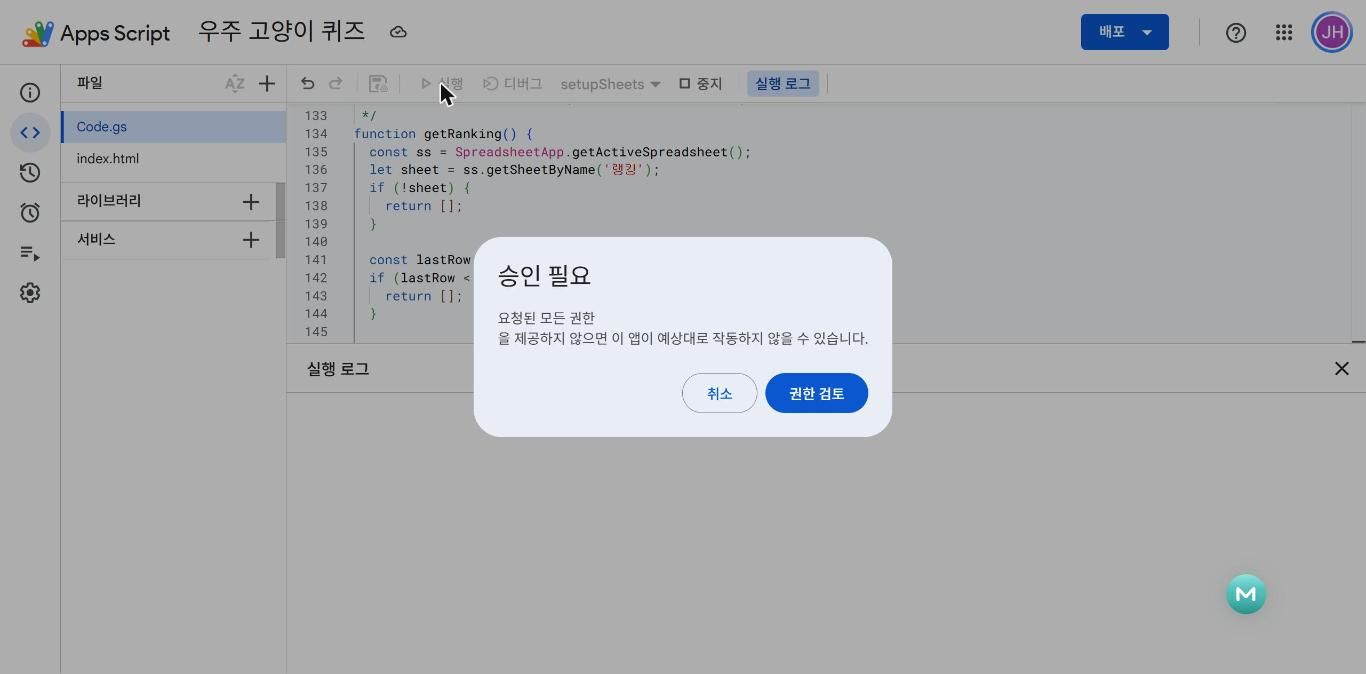 ⤢ 크게
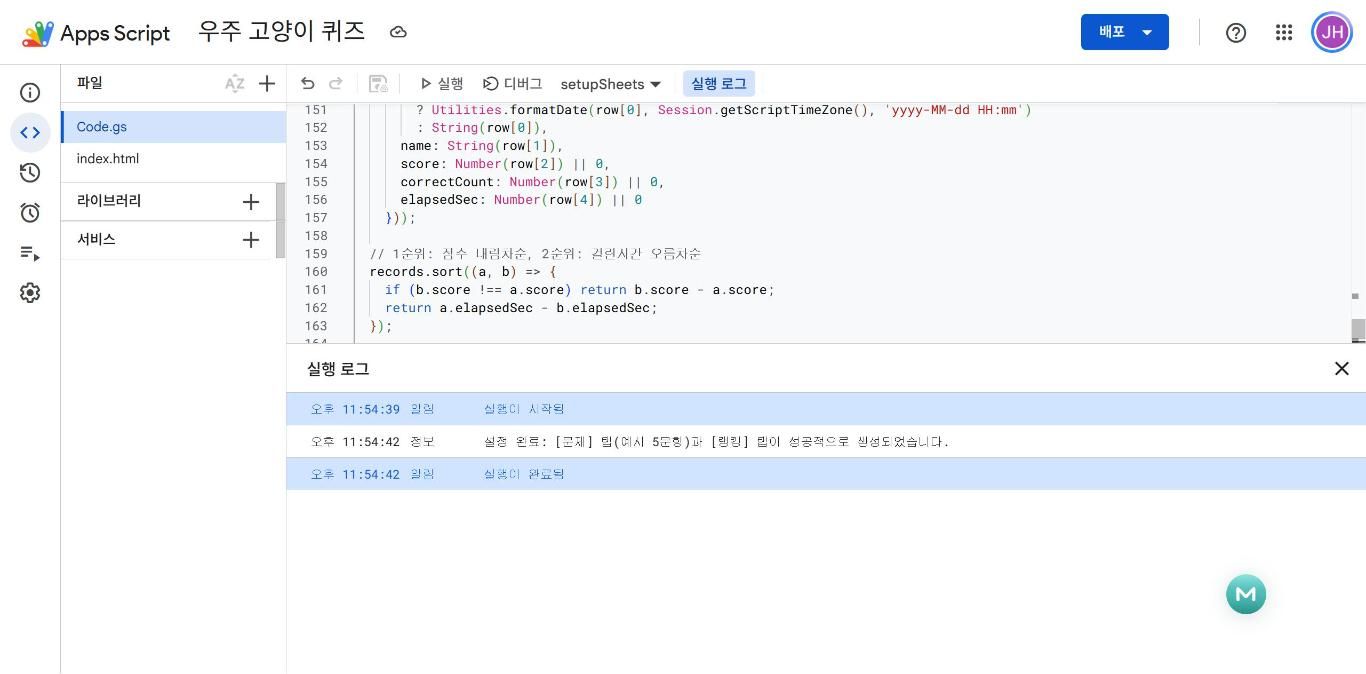 ⤢ 크게
 ⤢ 크게
"Google에서 확인하지 않은 앱"은 가장 무섭게 생긴 화면이지만, "내가 만든 스크립트가 내 시트를 읽고 써도 되냐"는 질문일 뿐입니다 → 고급 → 이동 → 허용.
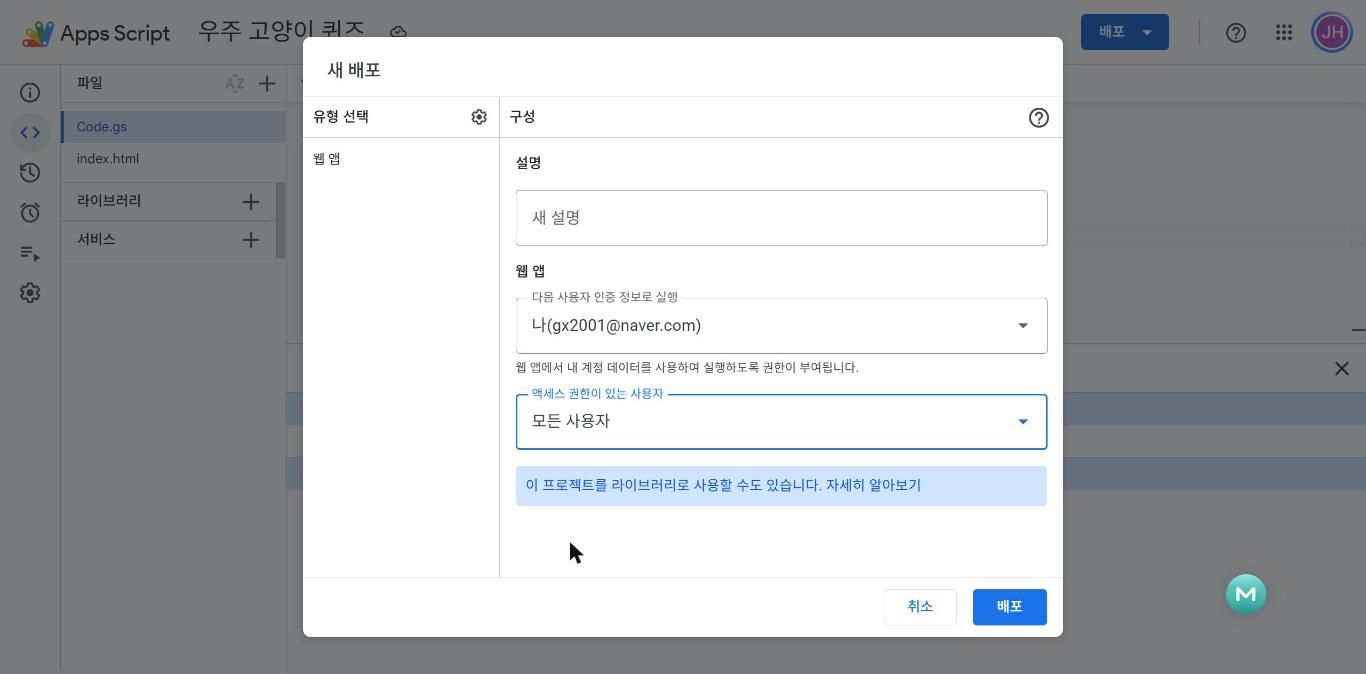
액세스: 모든 사용자
 ⤢ 크게
 ⤢ 크게
 ⤢ 크게
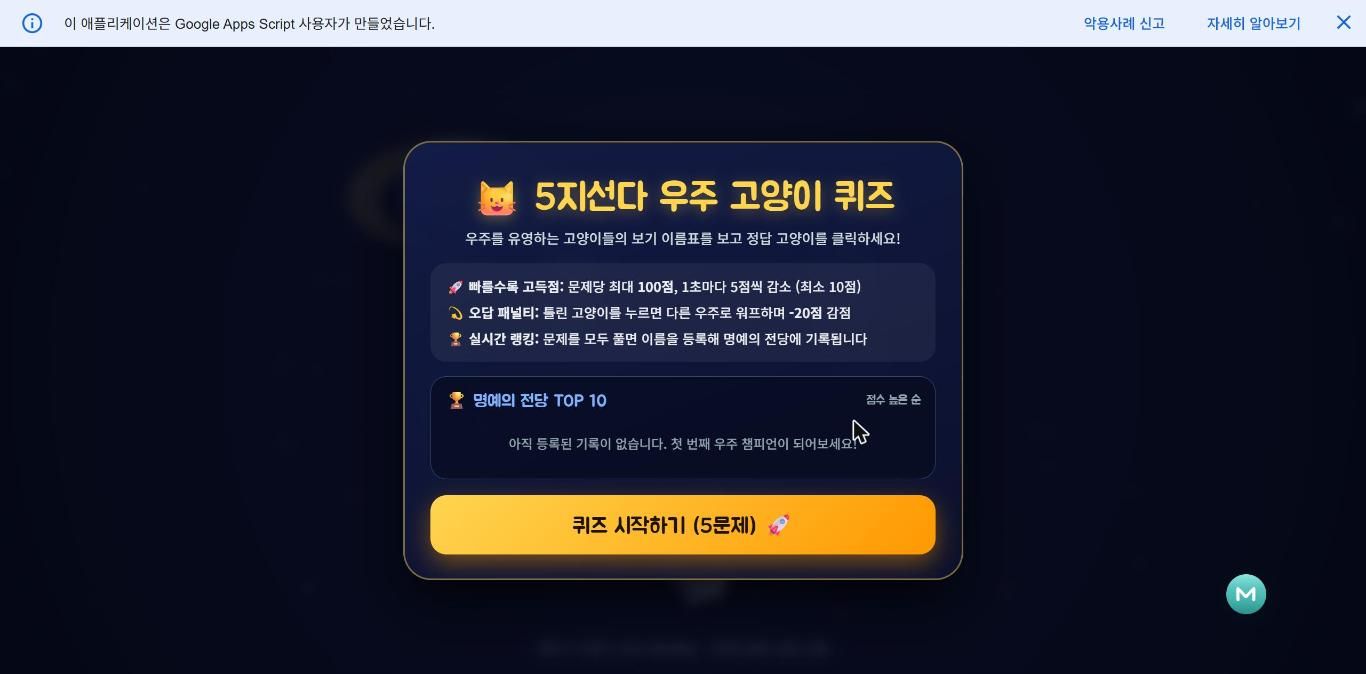
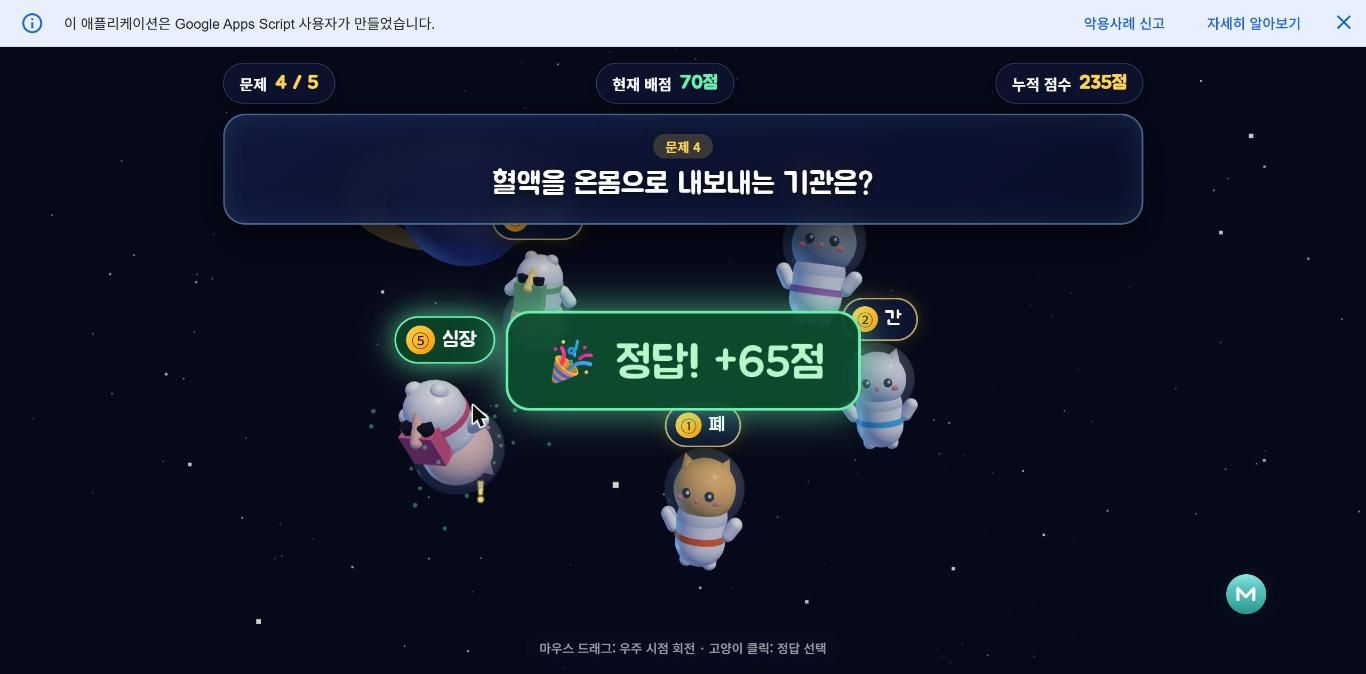
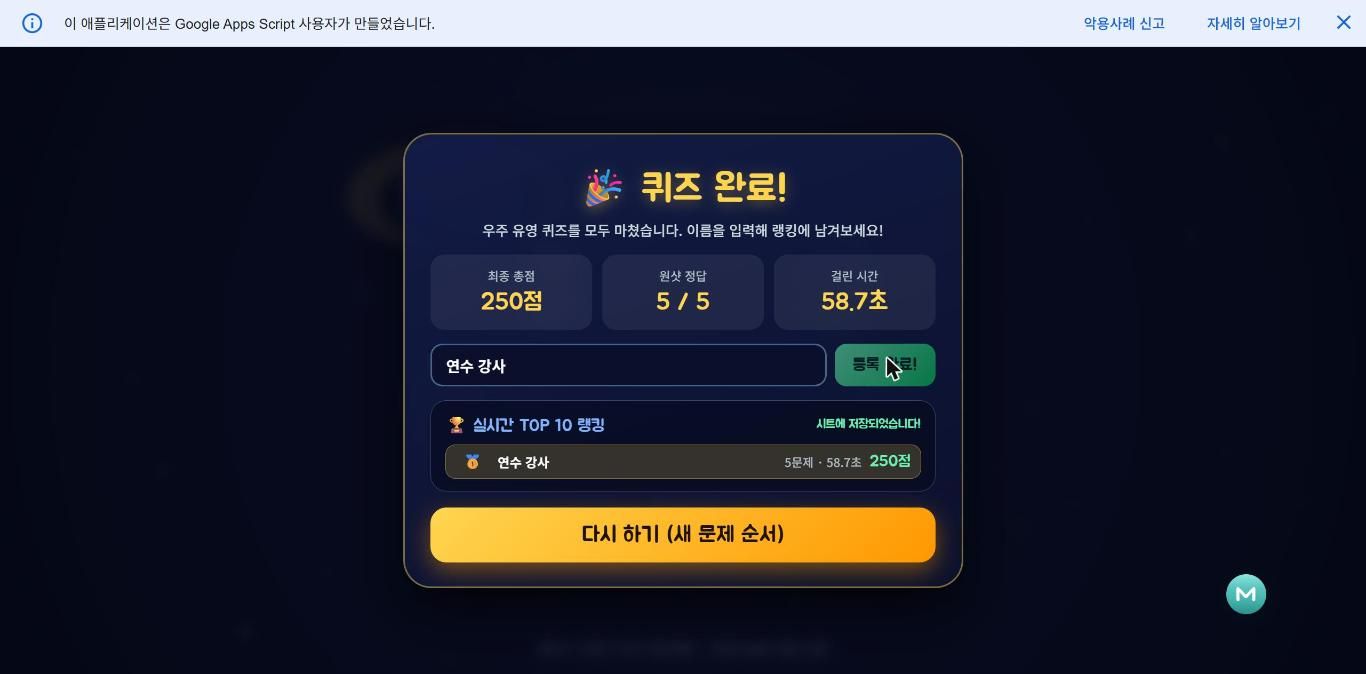
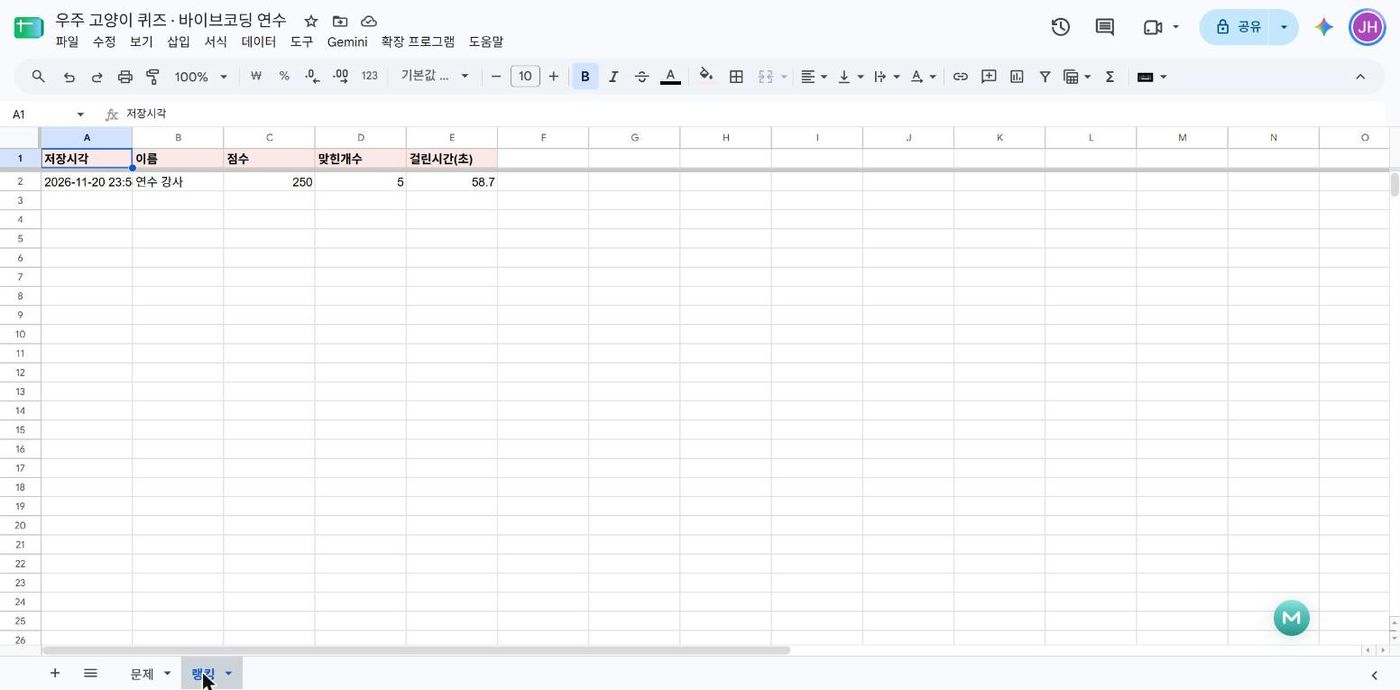
문제는 시트에서, 점수는 시트로, 랭킹은 다시 화면으로
 ⤢ 크게
 ⤢ 크게
 ⤢ 크게
 ⤢ 크게
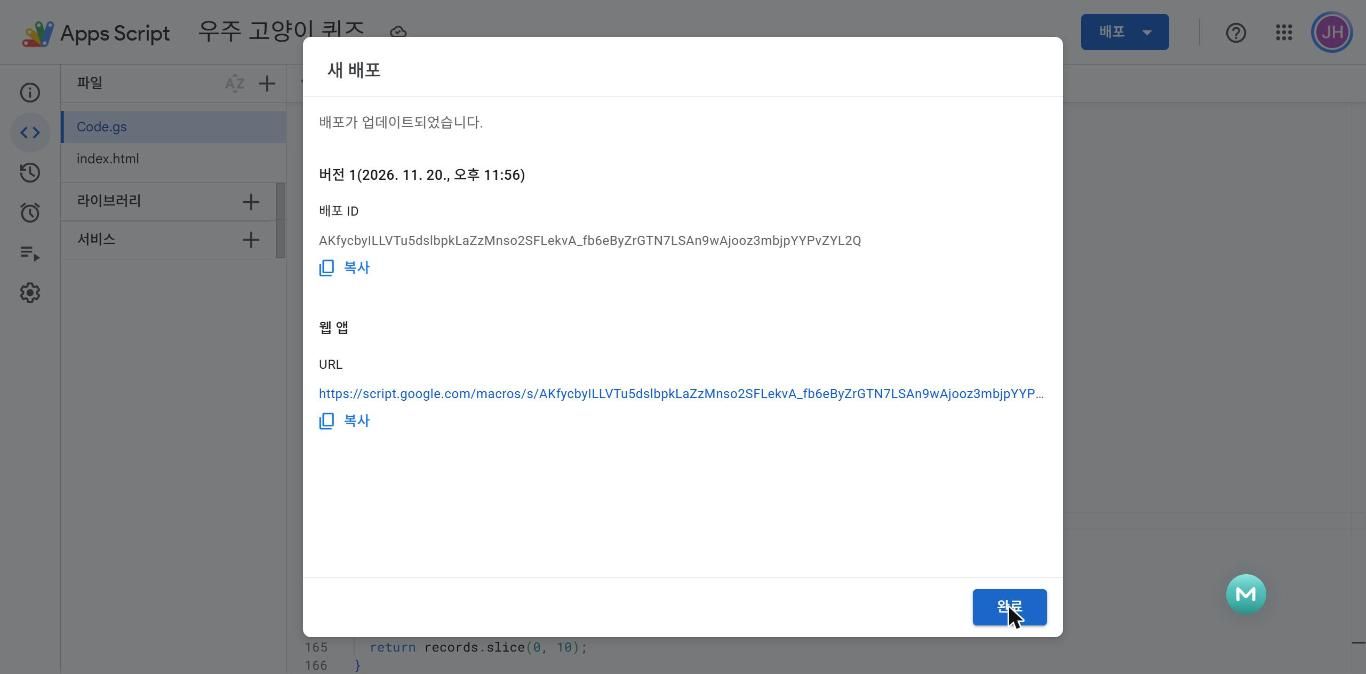
script.google.com/macros/s/AKf…L2Q/exec Apps Script 웹앱은 보안 정책상 새 창에서 열립니다. 문제를 바꾸려면 시트 「문제」 탭만 고치면 됩니다.
진짜를 해 보죠 — 시트 「문제」 탭에 6번 문제를 한 줄 추가하고 게임을 새로고침해 보세요. 코드는 한 글자도 안 건드렸는데 문제가 늘어납니다.